Journals are used in accounting to record, chronologically and systematically, the transactions that occur as a company carries out its business. For most of them Dynamics Business Central provides dedicated forms in the operational modules – sales, purchases, manufacturing and so on – while general journals are the forms in which the transactions handled only by the finance department are entered: payroll, expense claims, cash, banks and so on.
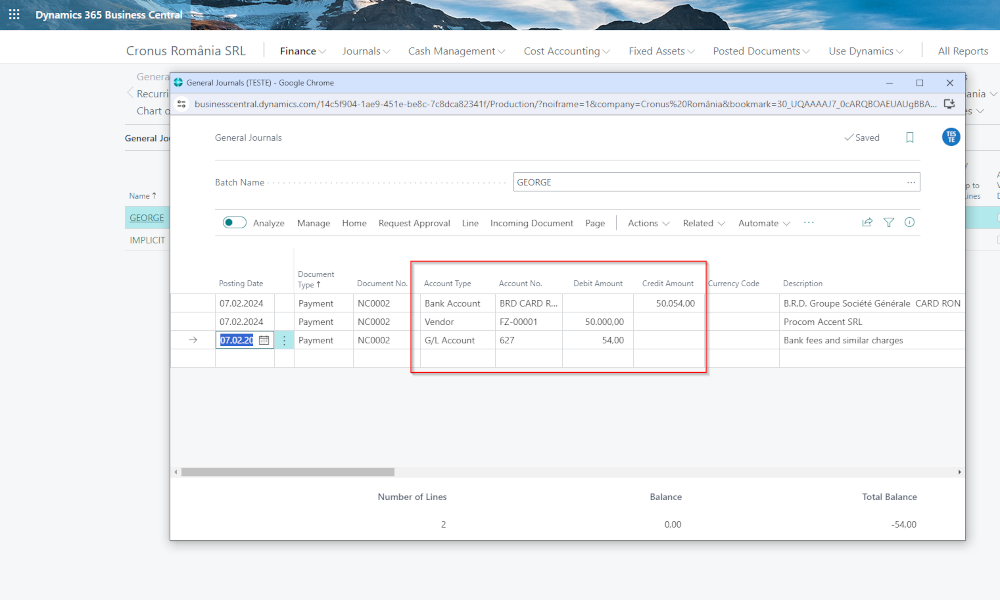
In a previous article we described how to work with general journals, by entering simple accounting entries on two journal lines (see article: Dynamics Business Central – Working with General Journals).
There is, however, also the possibility of generating an accounting entry on a single journal line, through the balancing account, and this is what we will discuss here. Let us take, for example, the receipt through the bank of an invoice issued to a customer (see image):
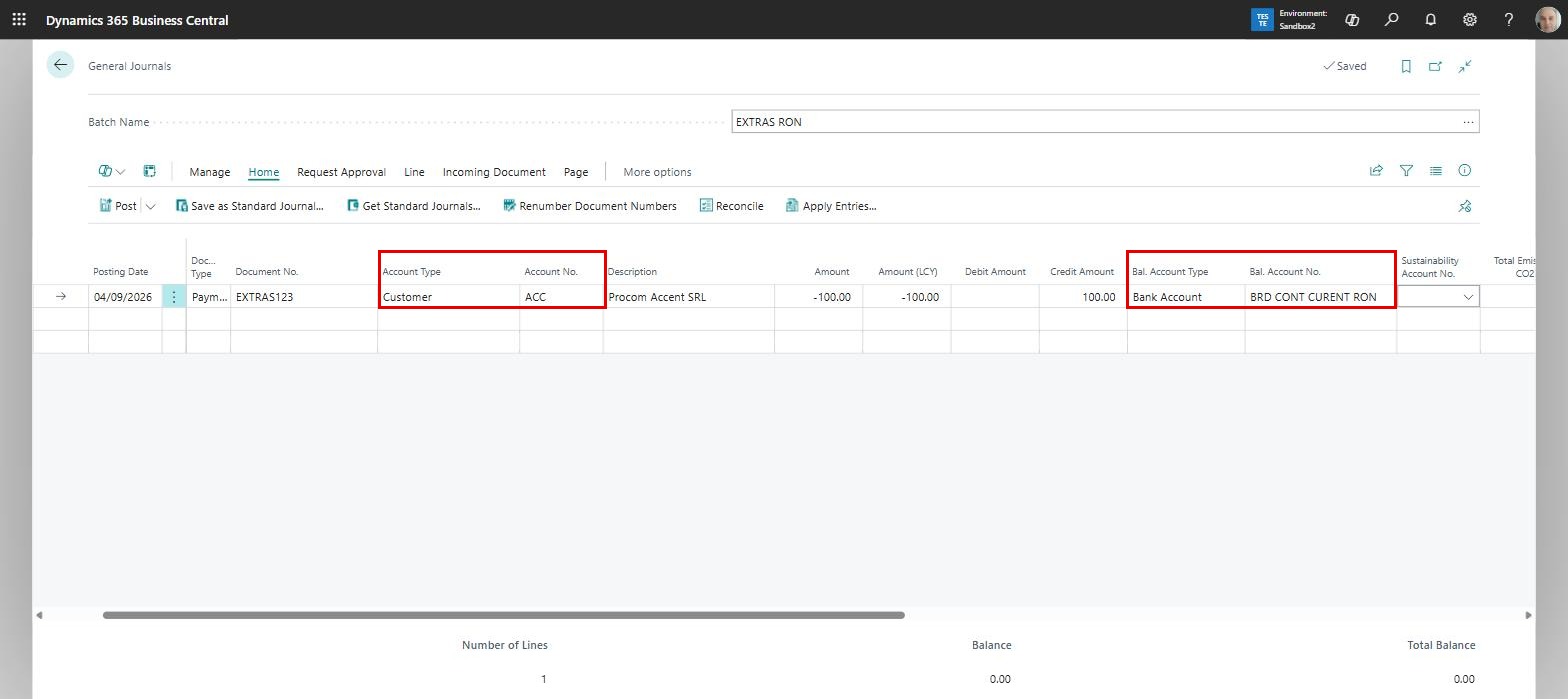
On the left, through the “Account Type” and “Account No.” fields, we have defined the customer making the payment, while on the right, through the “Bal. Account Type” and “Bal. Account No.” fields, we have the bank account into which the money is received. On posting, we obtain the following accounting entry (Romanian accounting)
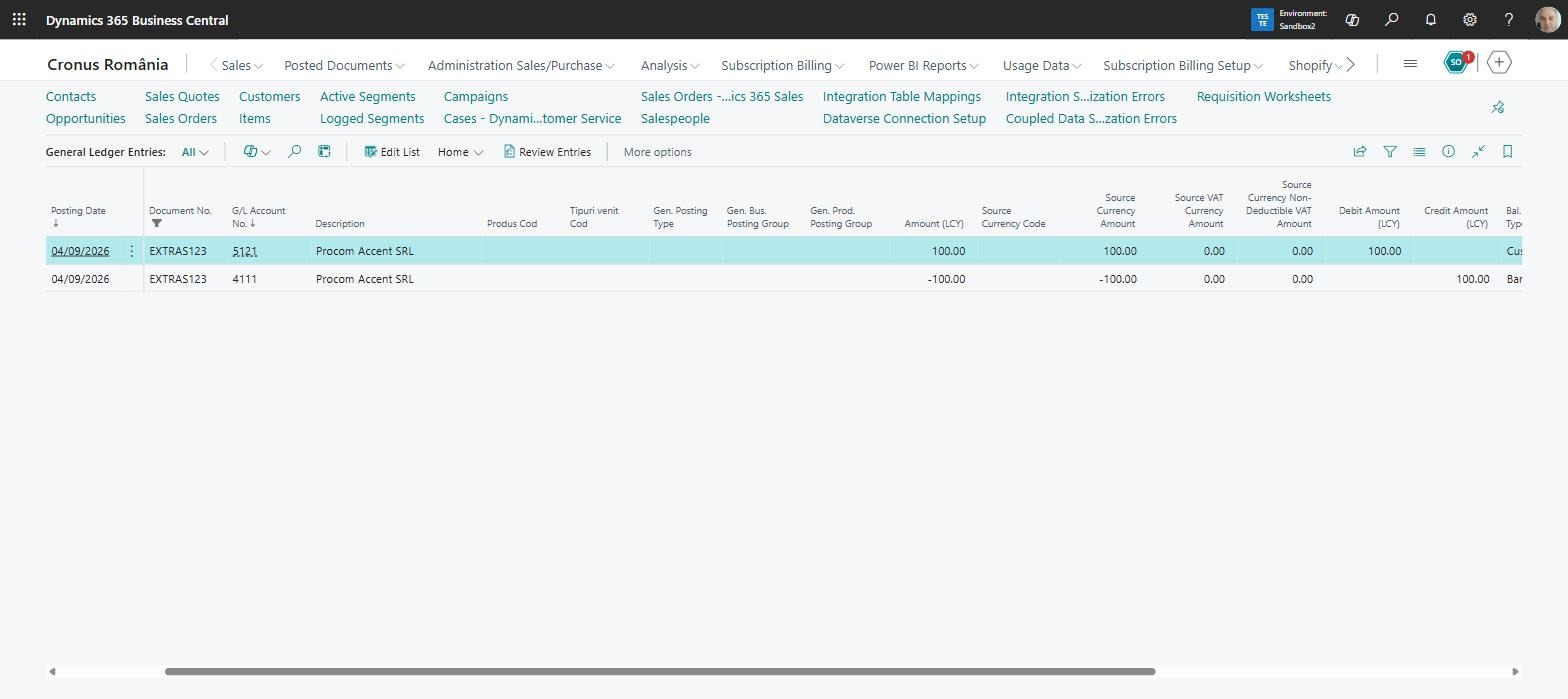
Posting through the balancing account can be advantageous when we have to enter several transactions in which one of the accounts used is always the same. The typical situation is the processing of bank statements, where G/L account 5121 (the Romanian account used for banks accounts) always has to be used.
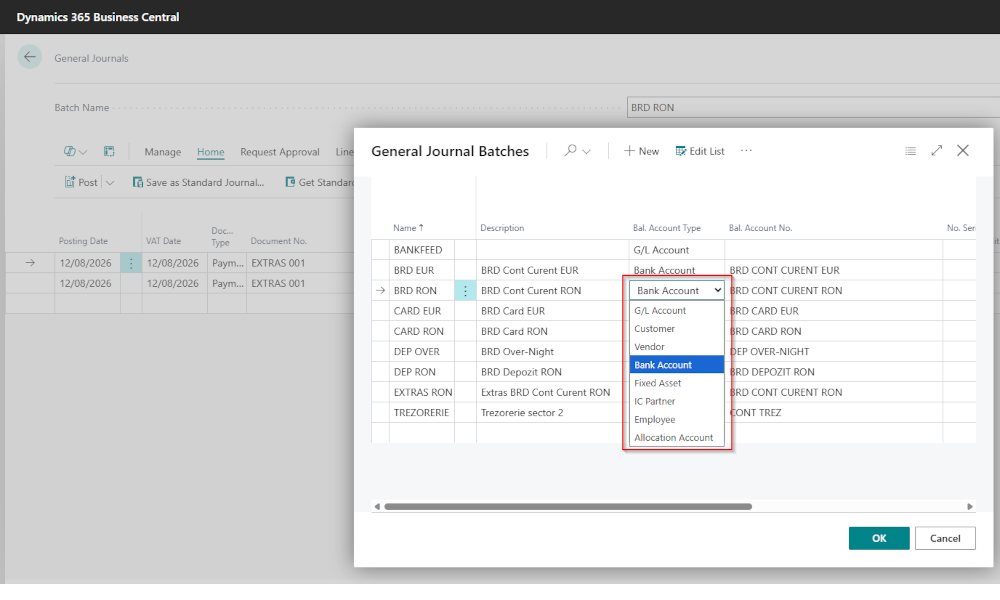
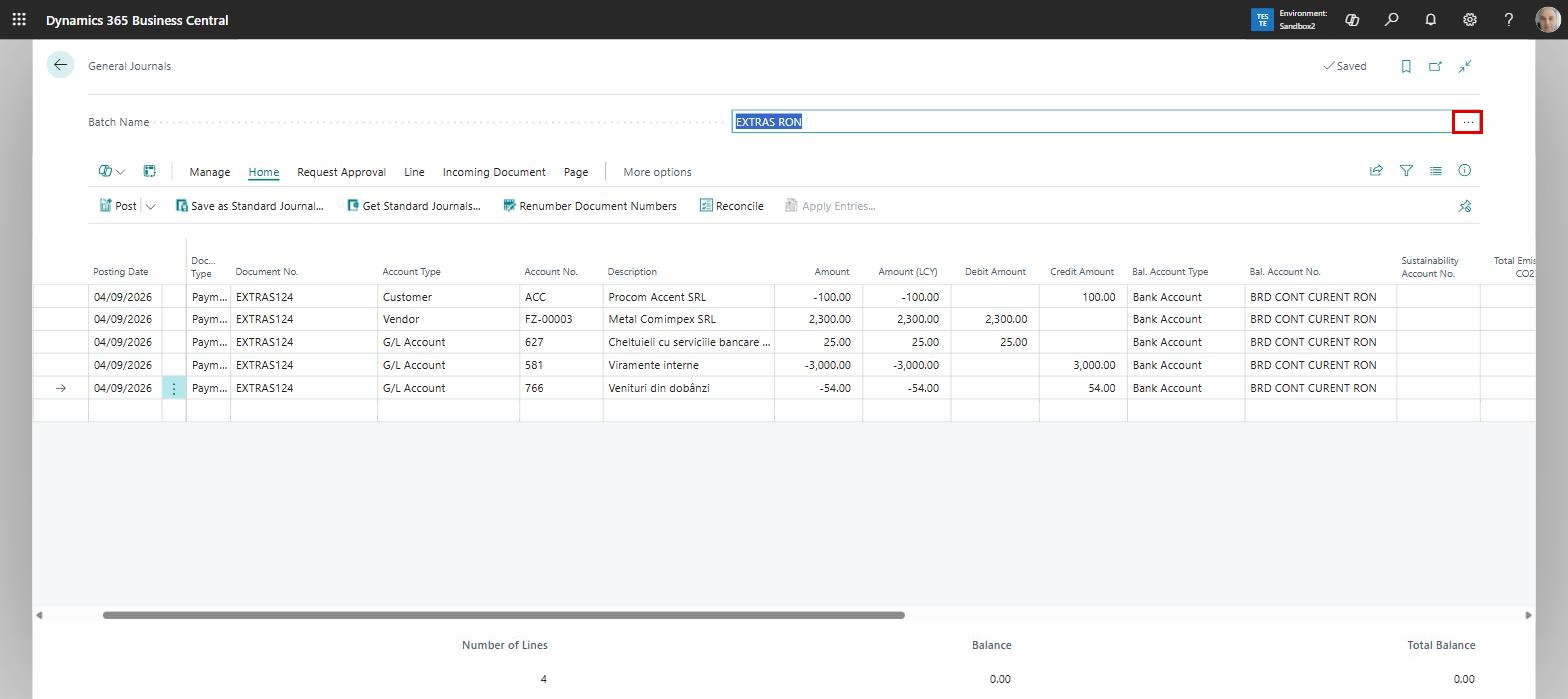
For the general journal lines to always carry the same balancing account, a setting at batch level is needed. To do this, we open the list of batches of the journal we are working in by clicking the three-dot button next to the batch name:
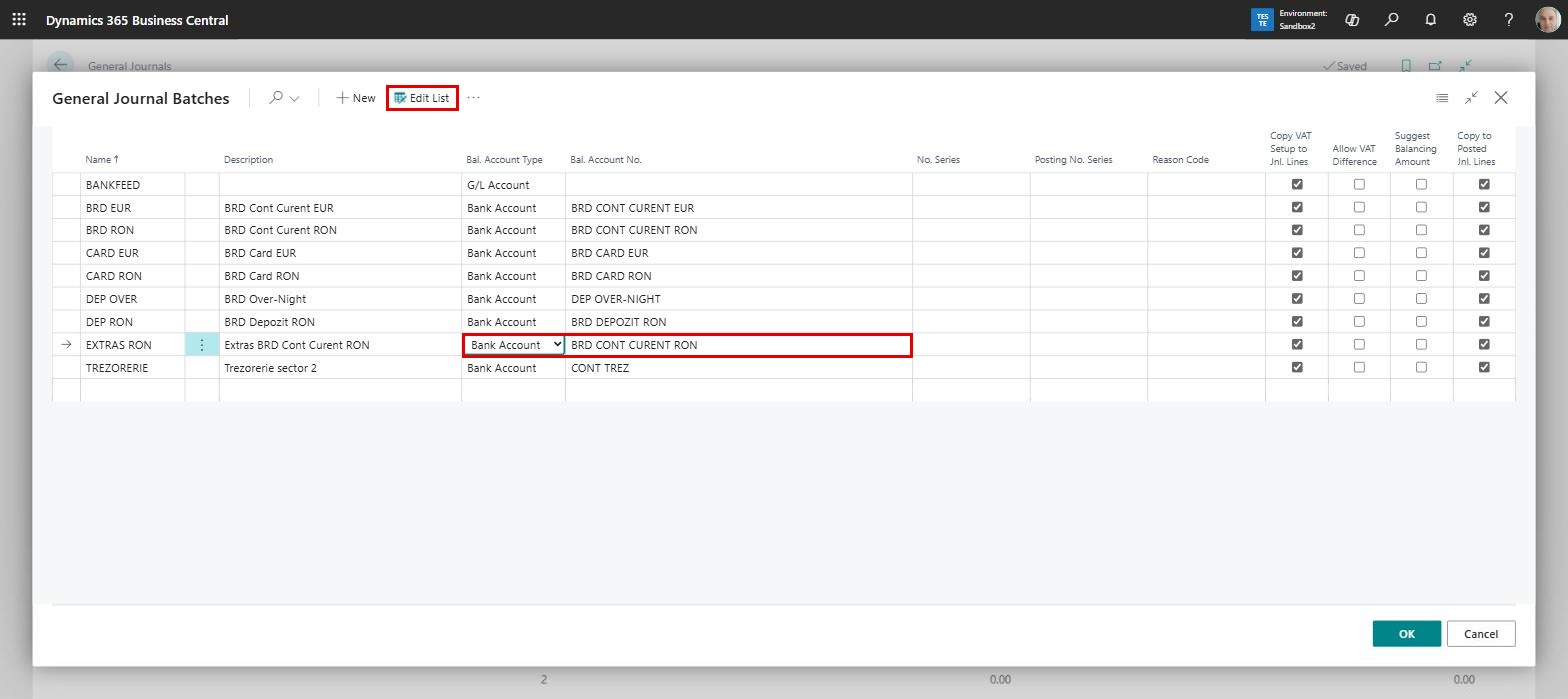
The list of batches associated with the general journal opens; we click the “Edit List” button and can then assign a balancing account to the batch. We first select the account type – G/L Account, Customer, Vendor, Bank Account, Fixed Asset, IC Partner or Employee, in our case Bank Account – and then the account number:
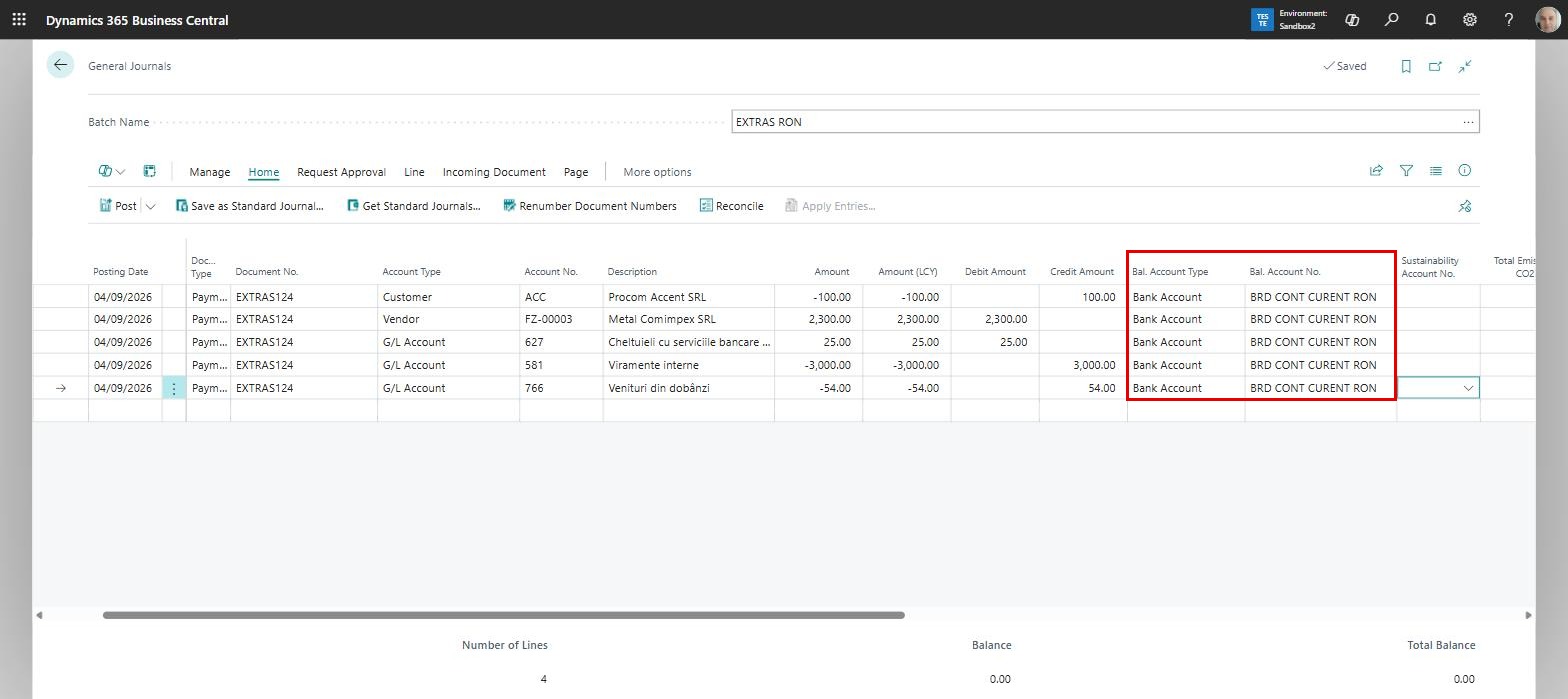
Once the association has been made, every new line generated in that batch automatically receives the balancing account as well. So when we process the bank statement, the bank account (linked to G/L account 5121) will always be present in the balancing account:
Such a setup can be used not only for bank accounts, but also in other situations – when processing expense claims, for instance, or whenever we have transactions in which one of the accounts always has to be the same.
ELIAN Solutions has been active since 2008 as an implementer of Microsoft Dynamics 365 Business Central . With a team of over 80 specialists and a portfolio of more than 400 clients, ELIAN Solutions is one of the leading ERP partners.