Companies that trade in inventory need an information system capable of handling various delivery scenarios. In Microsoft Dynamics 365 Business Central, deliveries are processed from a sales order, which allows flexible posting, including multiple deliveries from a single sales order and partial deliveries. However, when the volume of work is high, errors in delivery posting are likely to occur for various reasons, such as incorrect data entry, unsuitable items, or last-minute instructions from customers.
For this type of situation, Business Central allows users to cancel an item delivery. In this article, we will explain how this can be done.However, it is important to emphasise that a delivery can only be cancelled if it has not yet been invoiced. If it has already been invoiced, the correction must be made using a return order or a credit note.
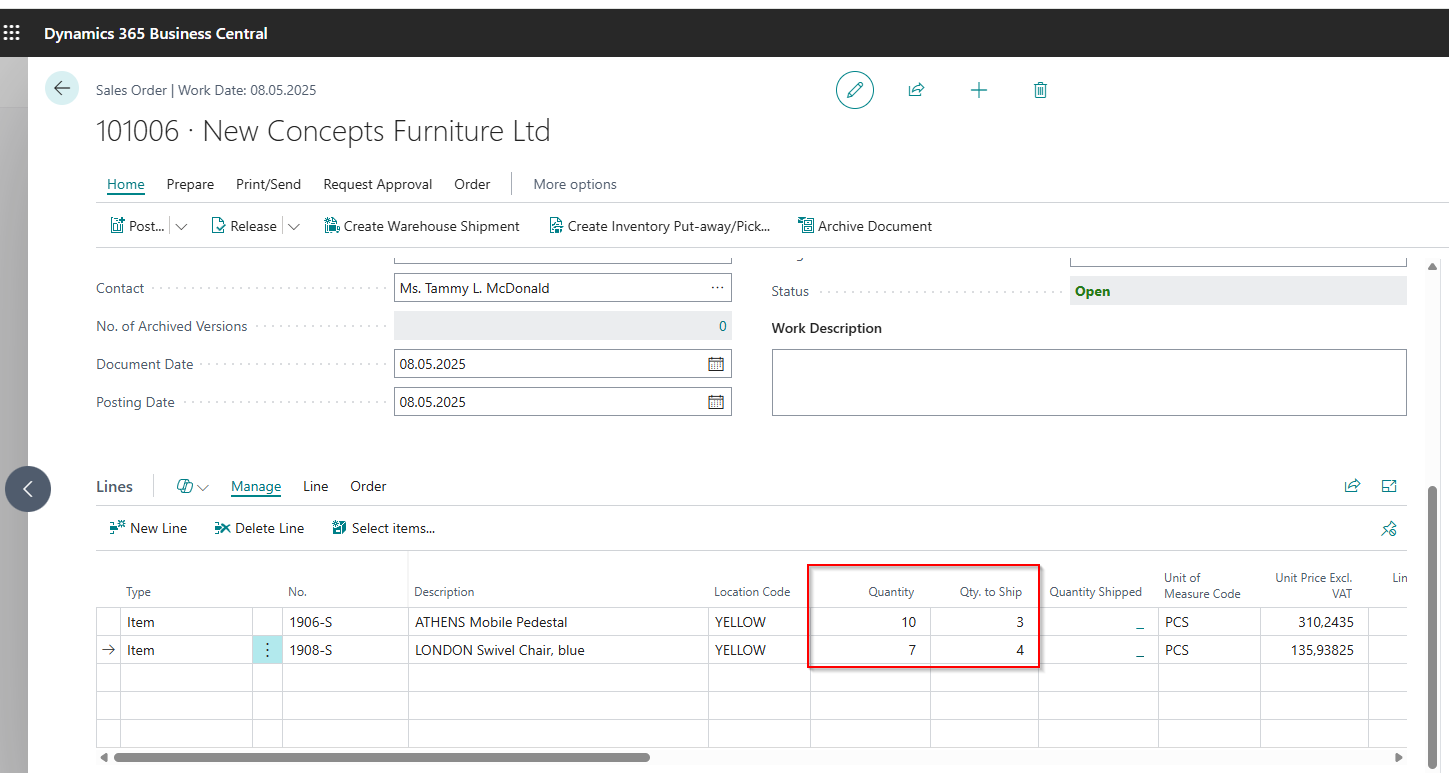
Let’s start with an example. Suppose we have a sales order containing two items: 10 units of item number “1906-S” and 7 units of item number “1908-S”.Now, let’s assume that we want to make a partial delivery of 3 units of item “1906-S” and 4 units of item “1908-S”.
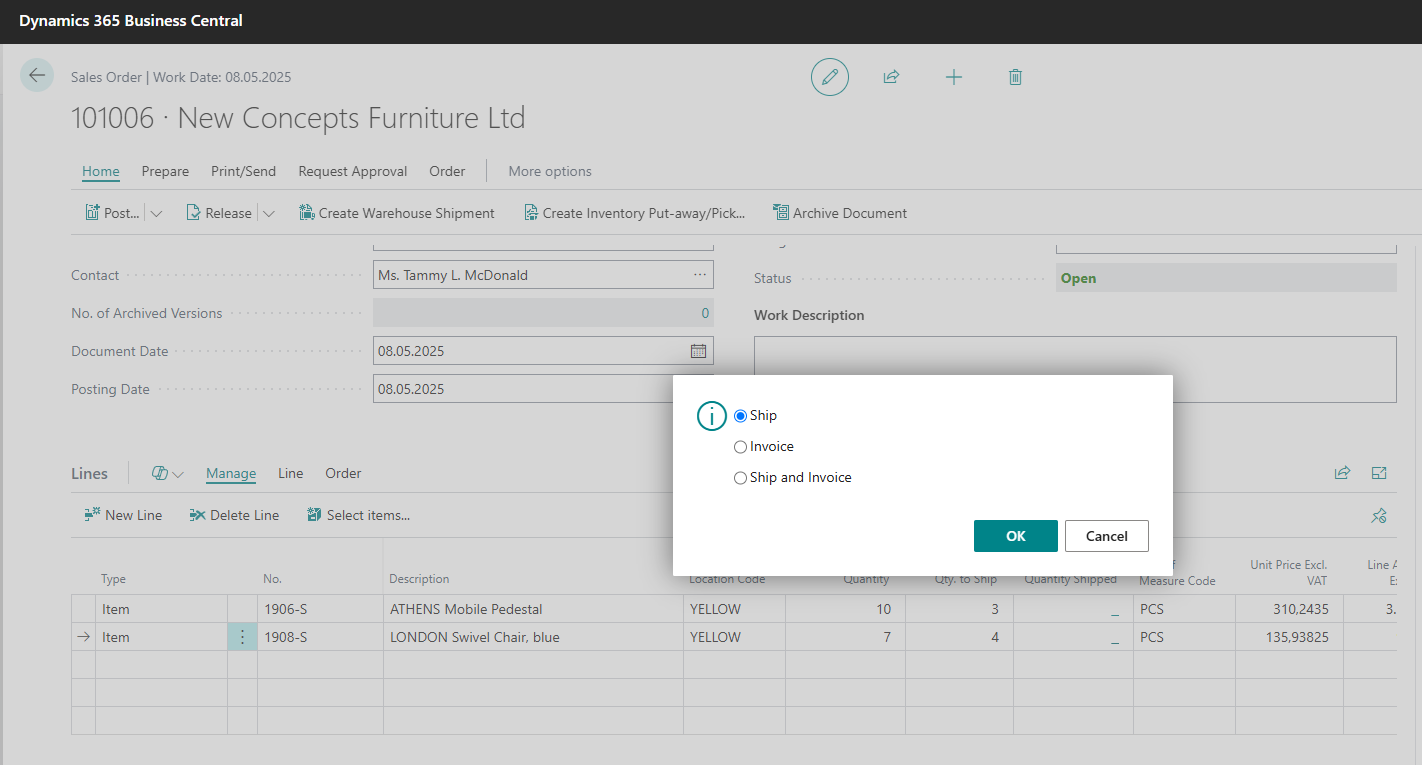
We post the shipment by clicking on the button “Post” and selecting the option “Ship”:
Suppose we want to cancel the already posted shipment, 3 pieces of item “1906-S”. For this purpose, in the sales order we access the posted shipment by selecting from menu the option “Order -> Shipments” and then “View”.
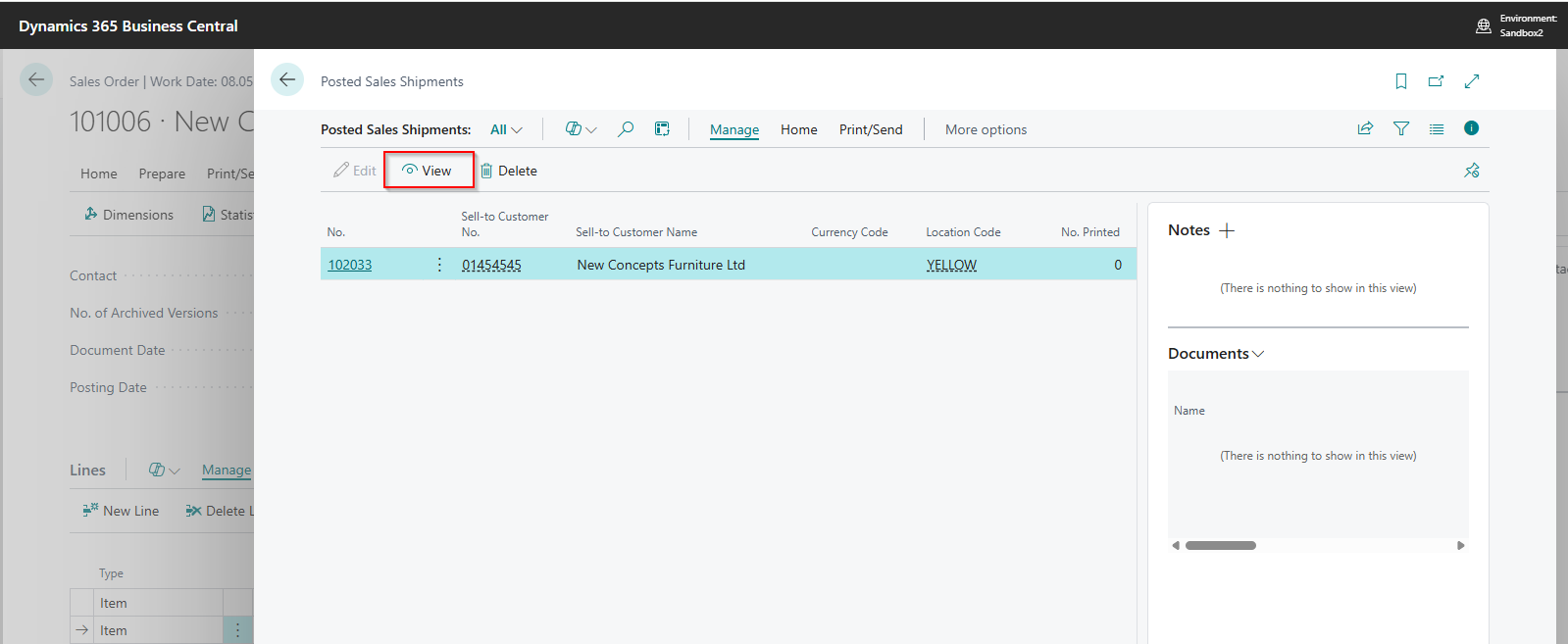
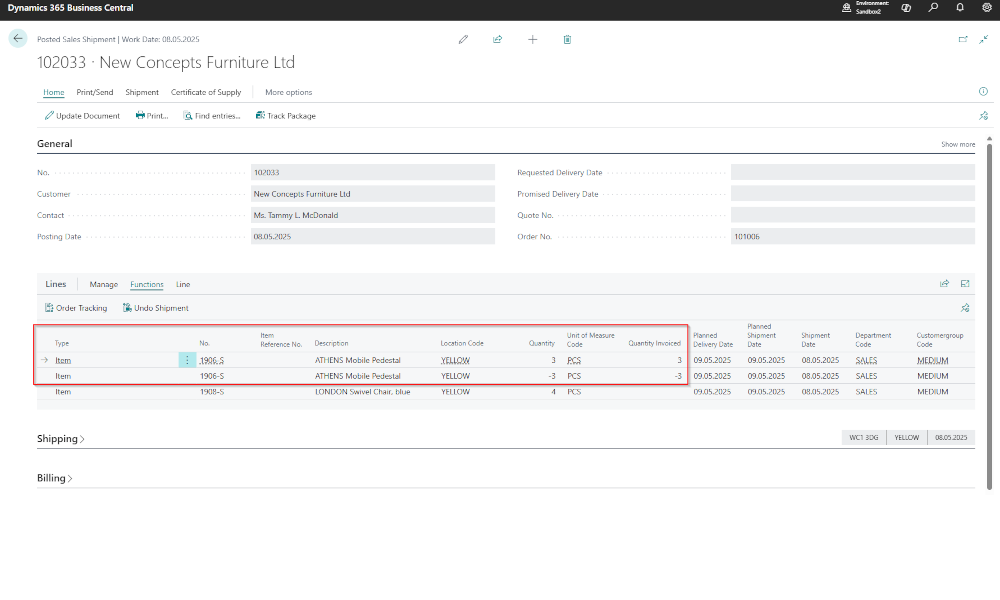
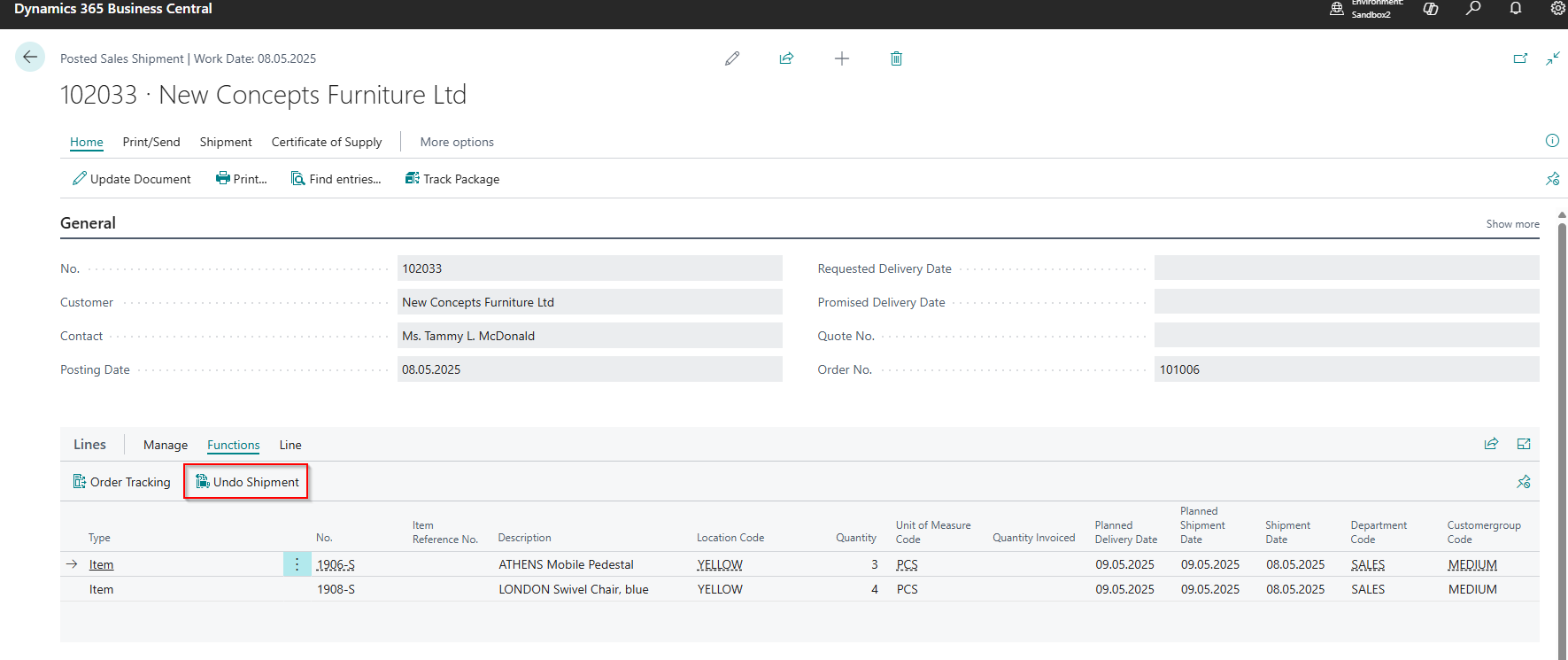
A window will open with the posted shipment. We select the line with the item whose shipment has to be canceled, and then we click “Functions -> Undo Shipment”.
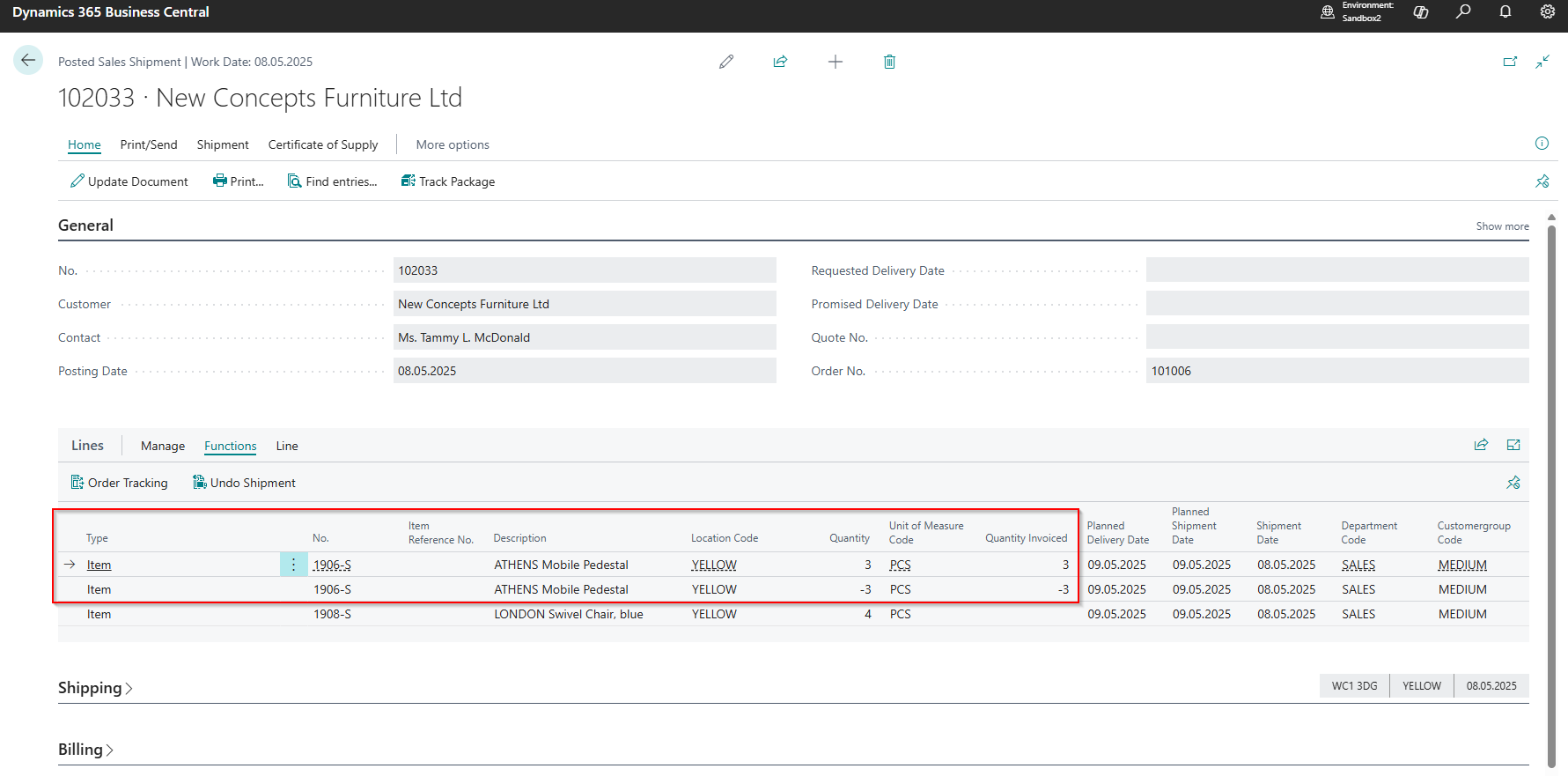
In the posted shipment, the system creates an item line with a negative quantity to offset the original item quantity. It is worth mentioning that, in Business Central, corrections are never made by deleting data. Instead, they are made by posting a correcting transaction.
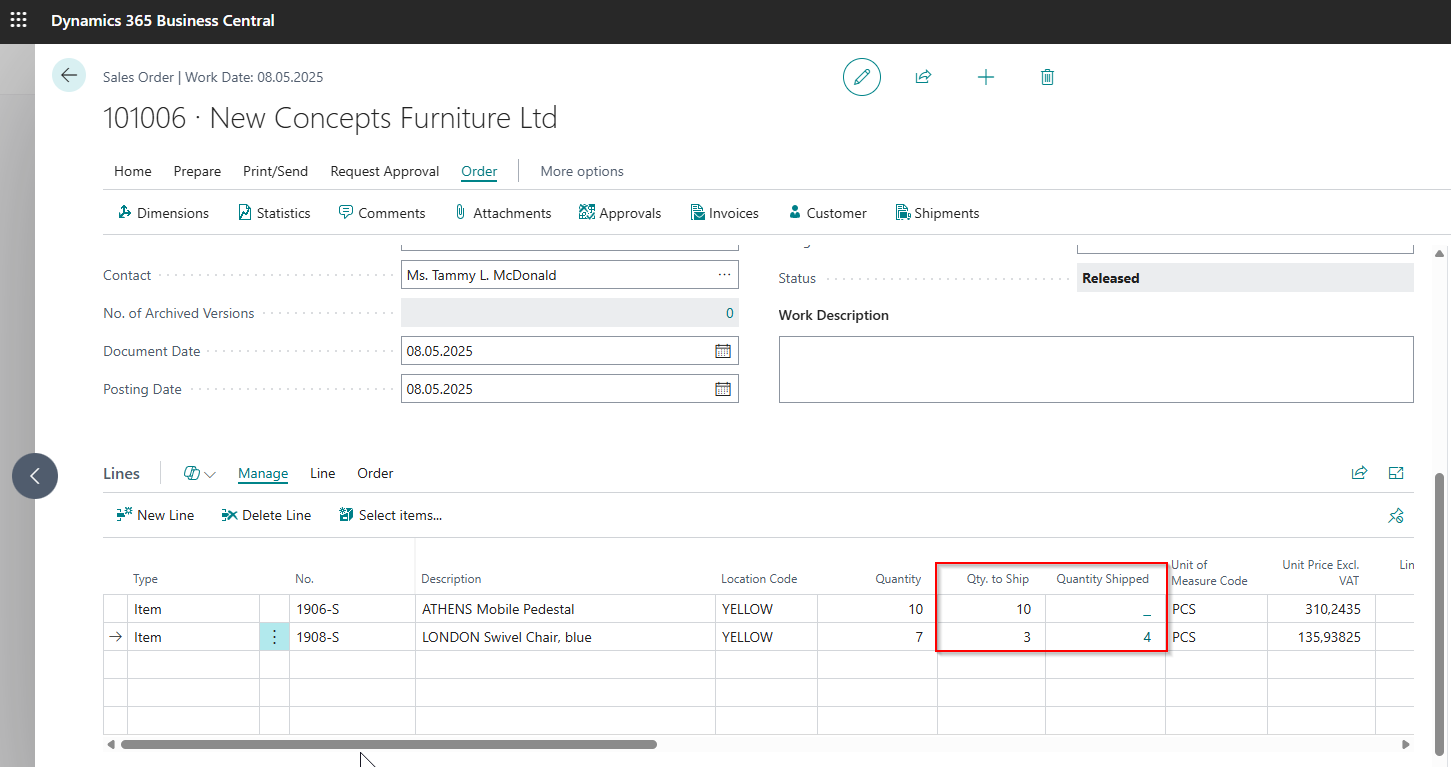
If we return to the sales order, we can see that cancelling the shipment restores the original quantity for item “1906-S”, meaning that all 10 units are still to be delivered. For item “1908-S”, the line shows that 4 units have already been delivered.
In this article we focused on a single aspect of the sales process, but if you are interested for an overview of the sales process in Business Central, we recommend the article Sales Flows and Documents in Dynamics Business Central
ELIAN Solutions has been active since 2008 as an implementer of Microsoft Dynamics 365 Business Central . With a team of over 80 specialists and a portfolio of more than 400 clients, ELIAN Solutions is one of the leading ERP partners.