Dynamics 365 Business Central enables companies that manage inventory to work with multiple locations. Large organisations may operate across a wide geographical area, with distribution networks, production centres, warehouses, and other facilities, as well as locations used by their business partners.
To simplify document processing, Business Central allows users to define default locations at both company level and customer/vendor level. As a result, the system can automatically populate location information on sales and purchase documents.
First, a general default location can be set up. This location will be suggested on all sales and purchase documents and is typically the company’s main warehouse or the location most frequently used for third-party transactions.
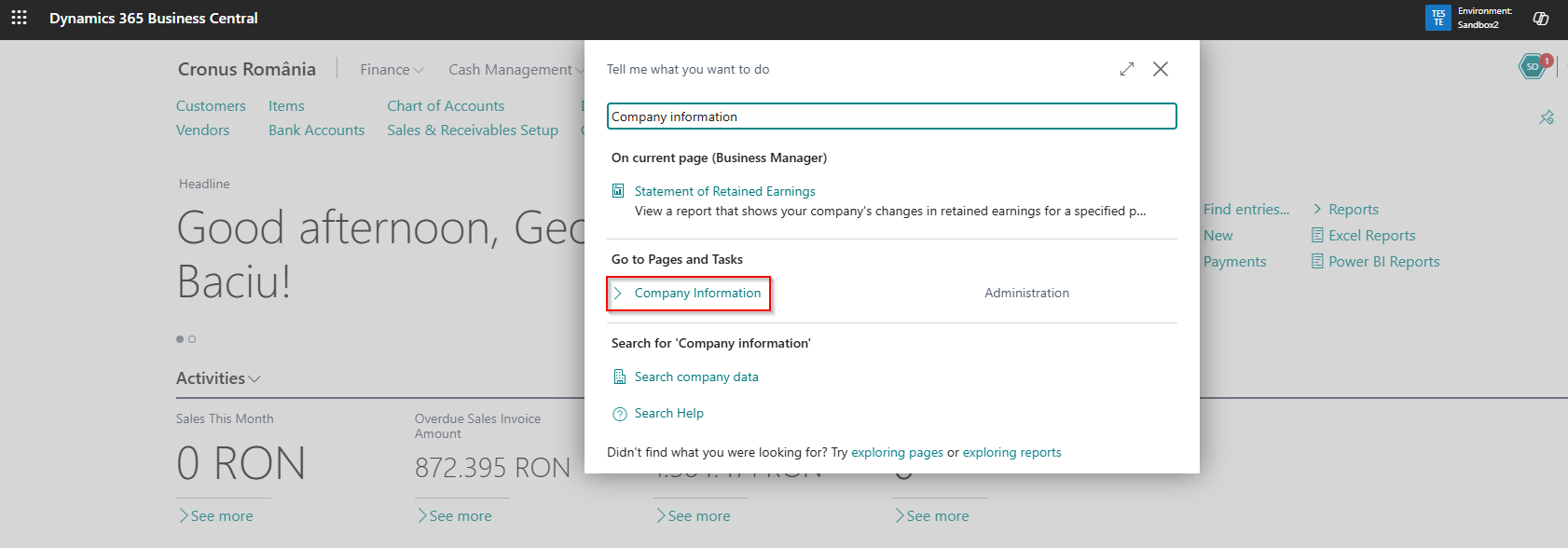
The setup is performed on the “Company Information” page, which can be accessed most easily by using the search function:
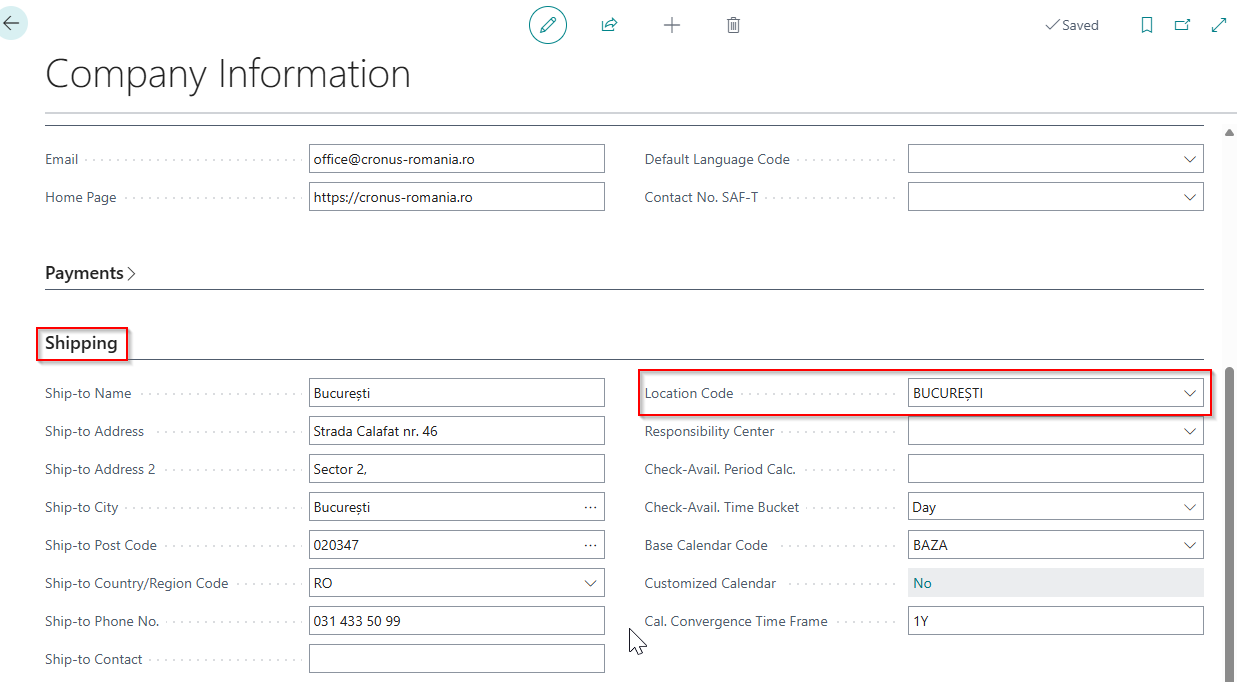
On the page “Company Information”, on the “Shipping” FastTab, we can select the code of the default location:
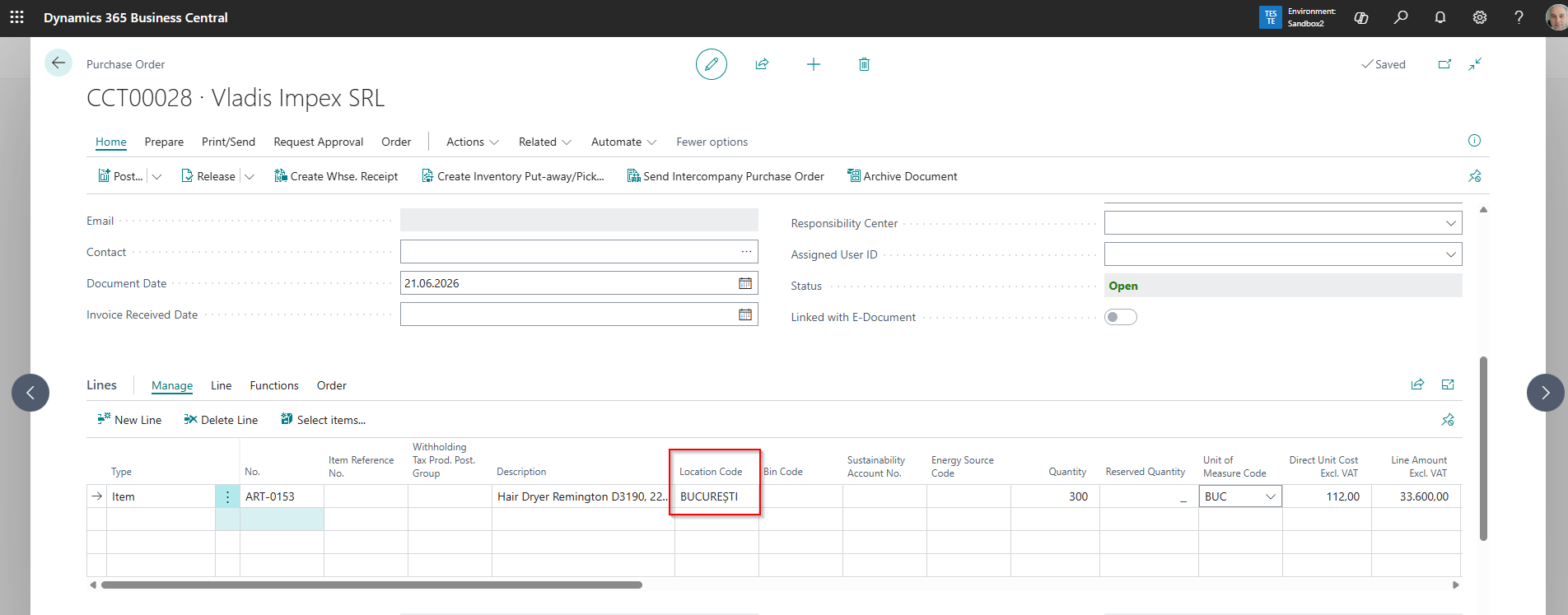
This location will appear automatically whenever a sales or purchase document containing items is entered. In the example below, we can see a purchase order:
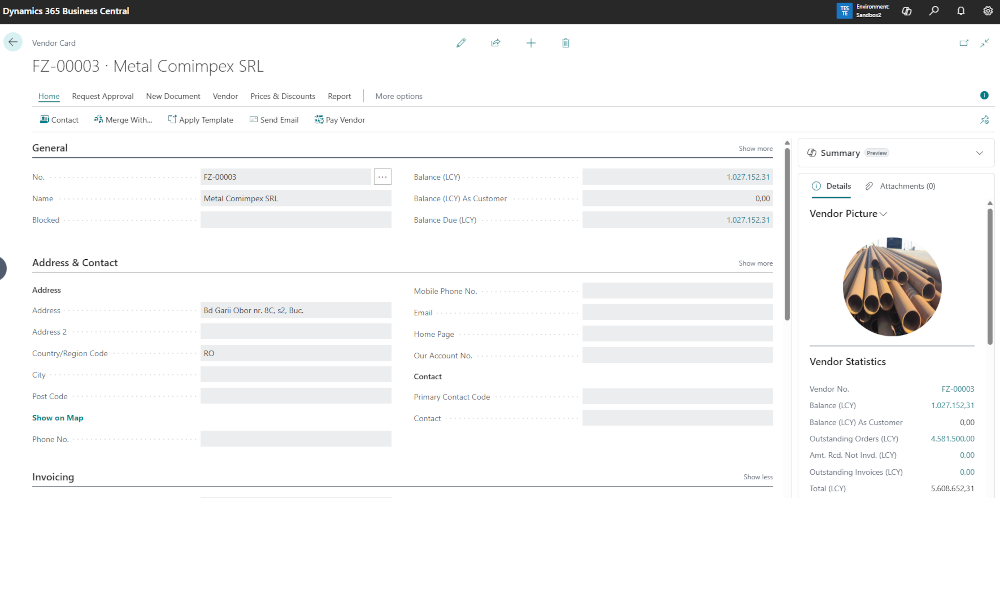
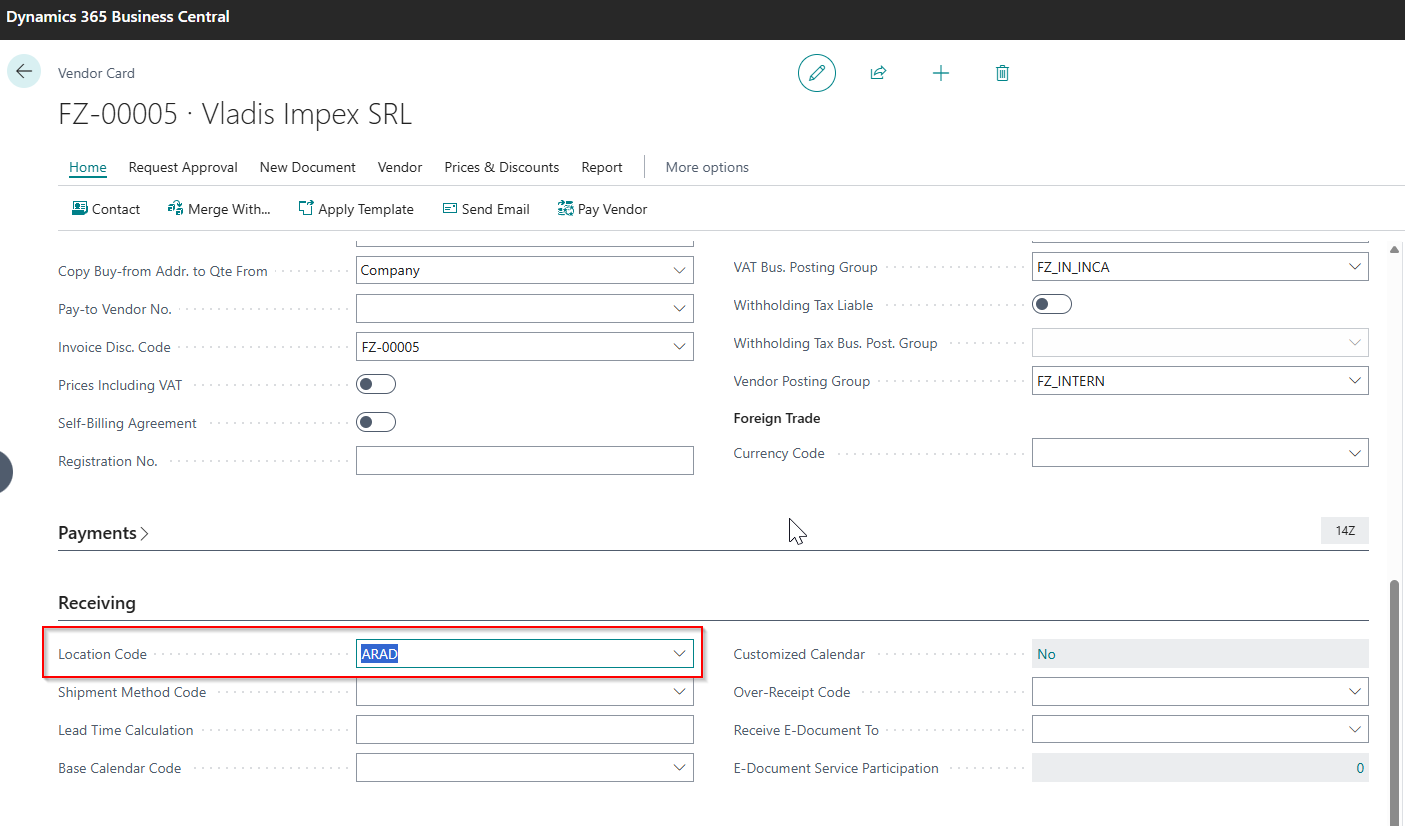
If a vendor always delivers goods to a location other than the one defined as the default in “Company Information”, a specific default location can be assigned on the vendor card. This setup is performed on the “Receiving” FastTab:
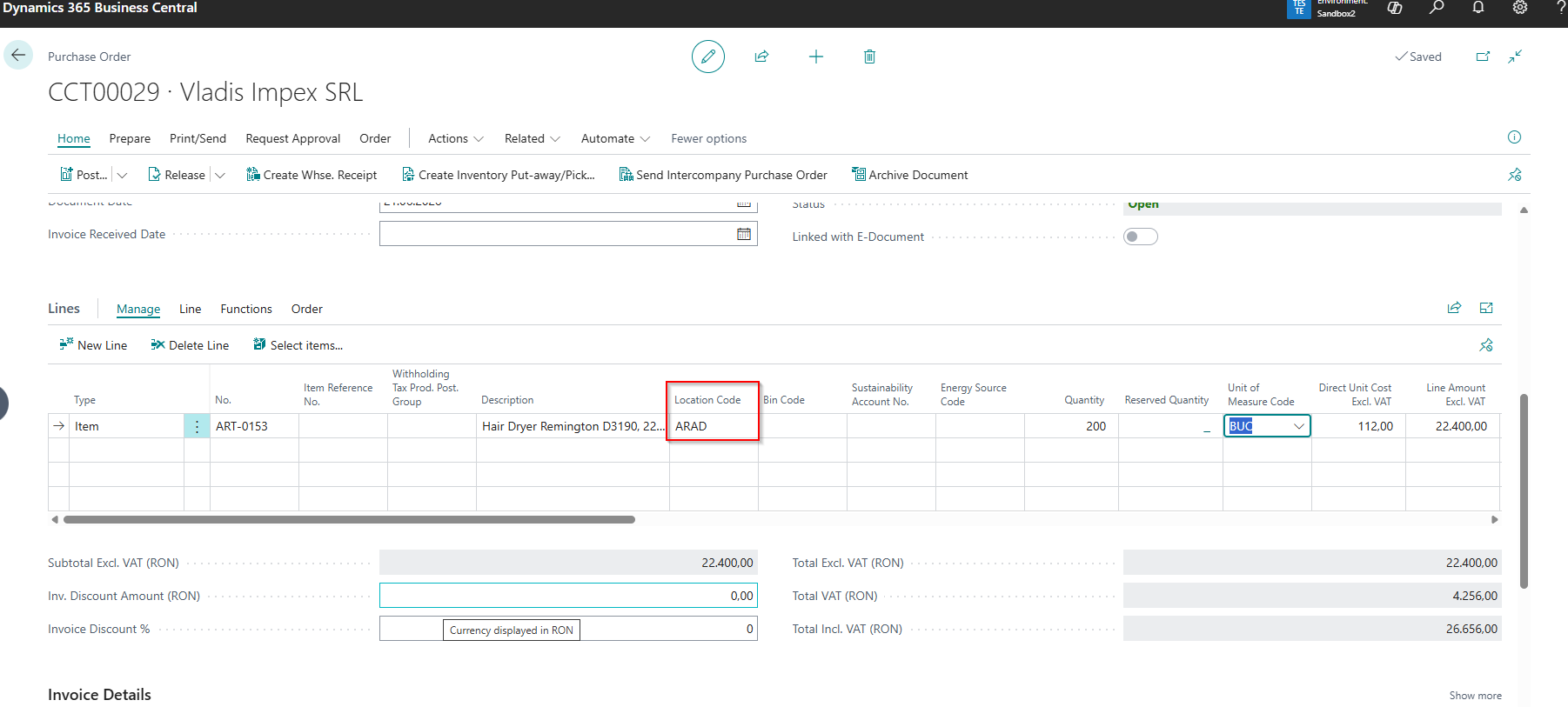
Now, if we create a purchase order for this vendor, the default location defined on the vendor card will be used:
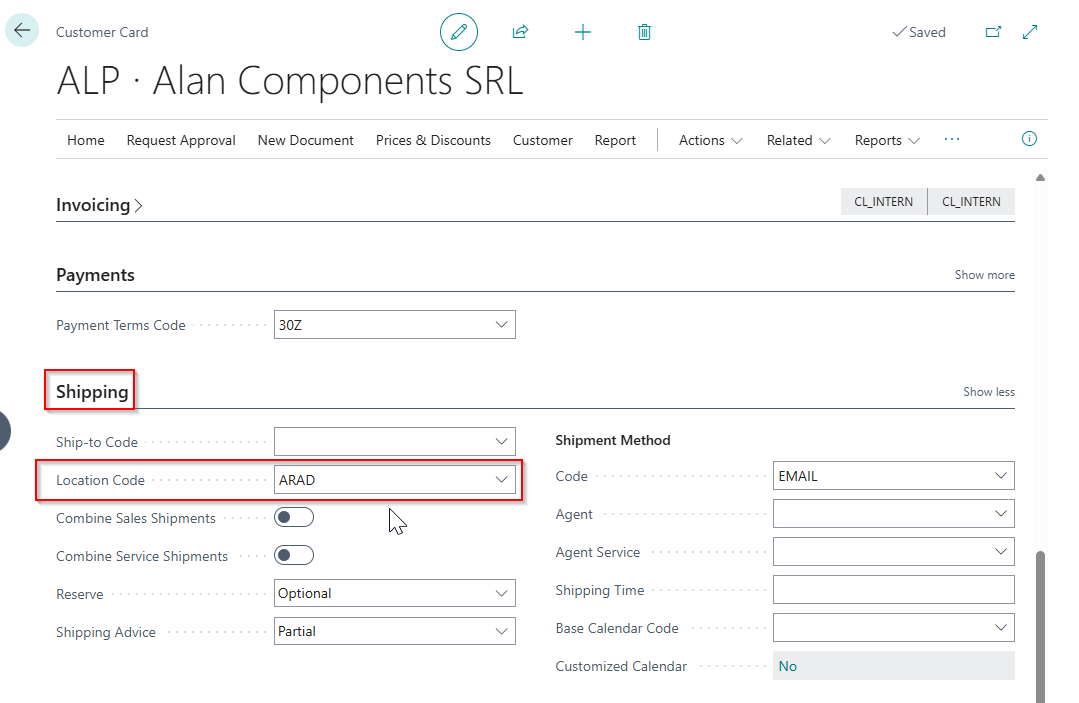
In the same way, a default location can be set up on the customer card, on “Shipping” FastTab:
Whenever possible, we recommend applying this setup on vendor and customer cards. This will speed up the creation of sales and purchase documents and reduce the risk of operational errors.
ELIAN Solutions has been active since 2008 as an implementer of Microsoft Dynamics 365 Business Central . With a team of over 80 specialists and a portfolio of more than 400 clients, ELIAN Solutions is one of the leading ERP partners.