In the Dynamics Business Central ERP system, number series assign numbers automatically to entities (customers, vendors, items and so on) and to documents. That assignment is, above all, what enforces uniqueness in the database – there must never be two sales invoices carrying the same number, for instance. One series is usually enough to number an entity or a document, but there are situations in which it is worth having several series available, from which the user can choose.
In what follows we will show you how multiple number series can be used, starting from the assumption that you already know how a number series is defined. If you would first like to see how a number series is set up in Business Central, we recommend the article: How to Set Up Number Series in Business Central
Let us take a possible use case for multiple number series. Within the fixed assets module of Business Central we can keep track not only of the fixed assets themselves, but also of low-value items. In that case it would be sensible to have two different number series, one for the fixed assets and one for the low-value items.
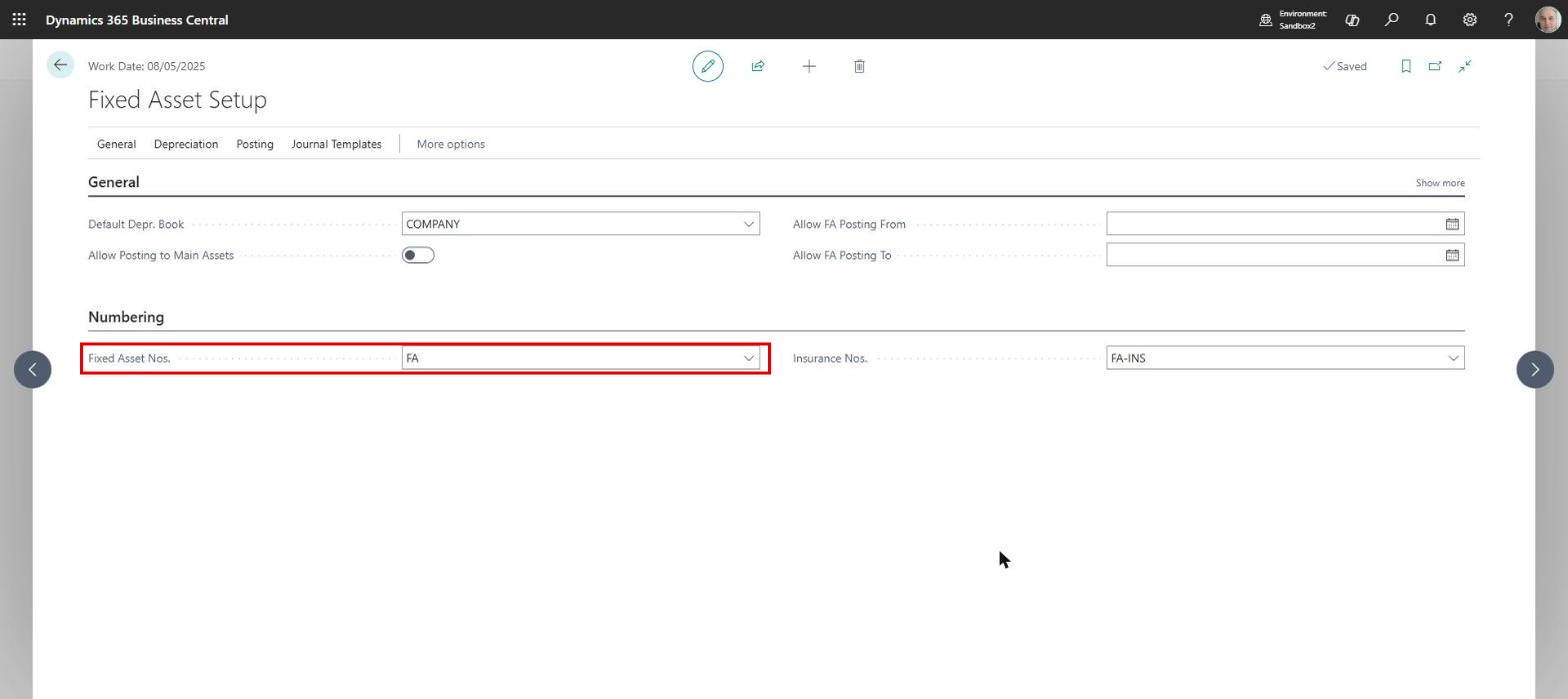
For this to work, a relationship has to be created between the two series. One of them will always be the default one and is set on a setup page. In our case, on the “Fixed Asset Setup” page we can see that the “Fixed Asset Nos.” field holds the number series code “FA”:
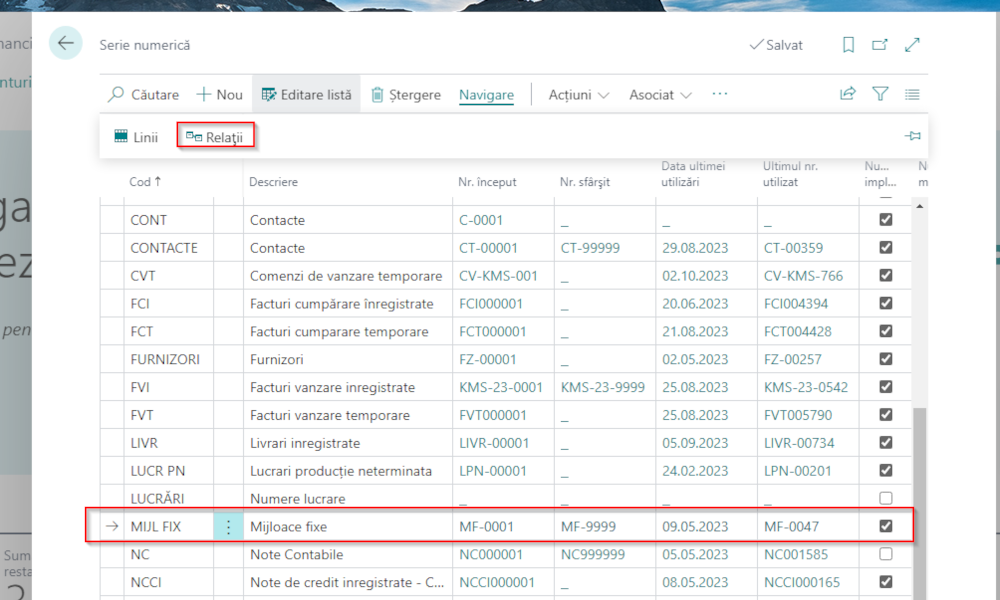
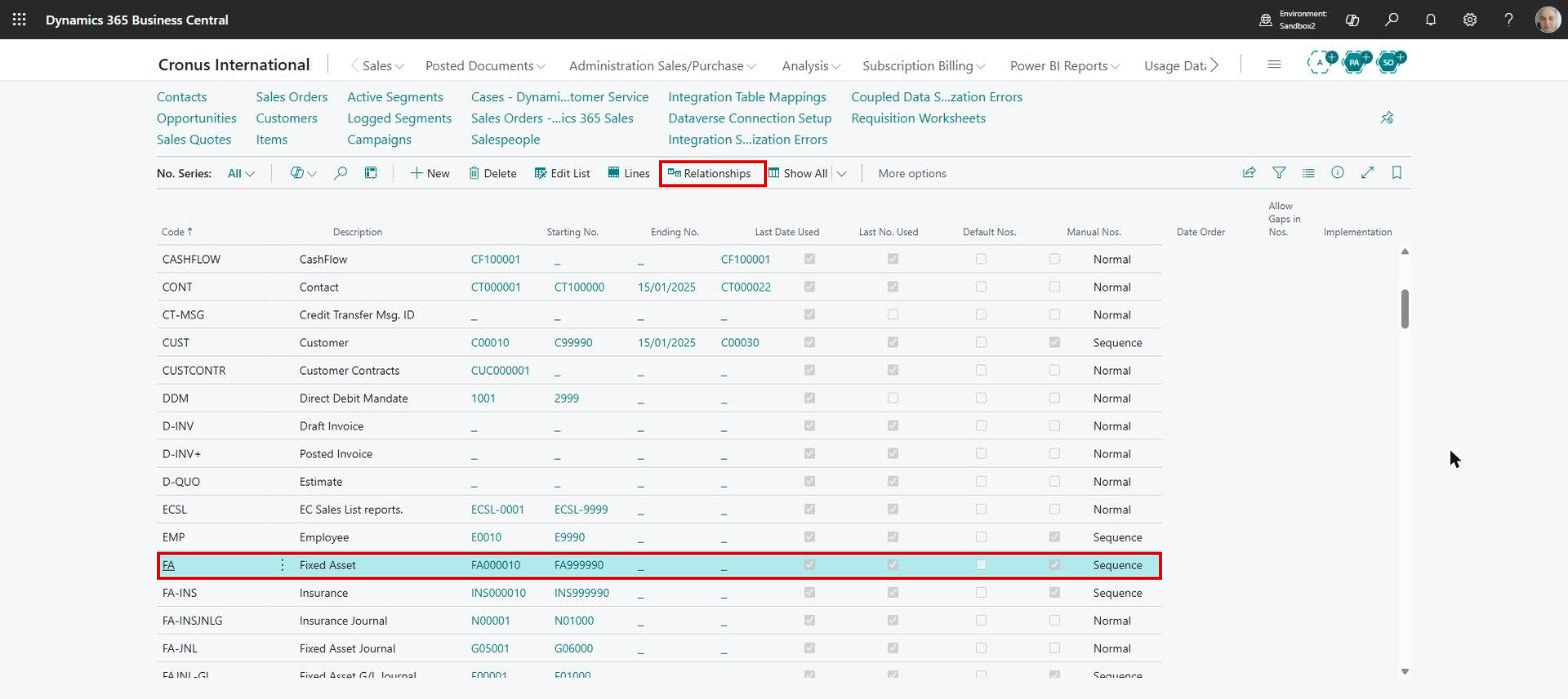
The relationship between the series is created on the “No. Series” page. We place the cursor on the line of the fixed asset series and choose “Relationships” from the action bar:
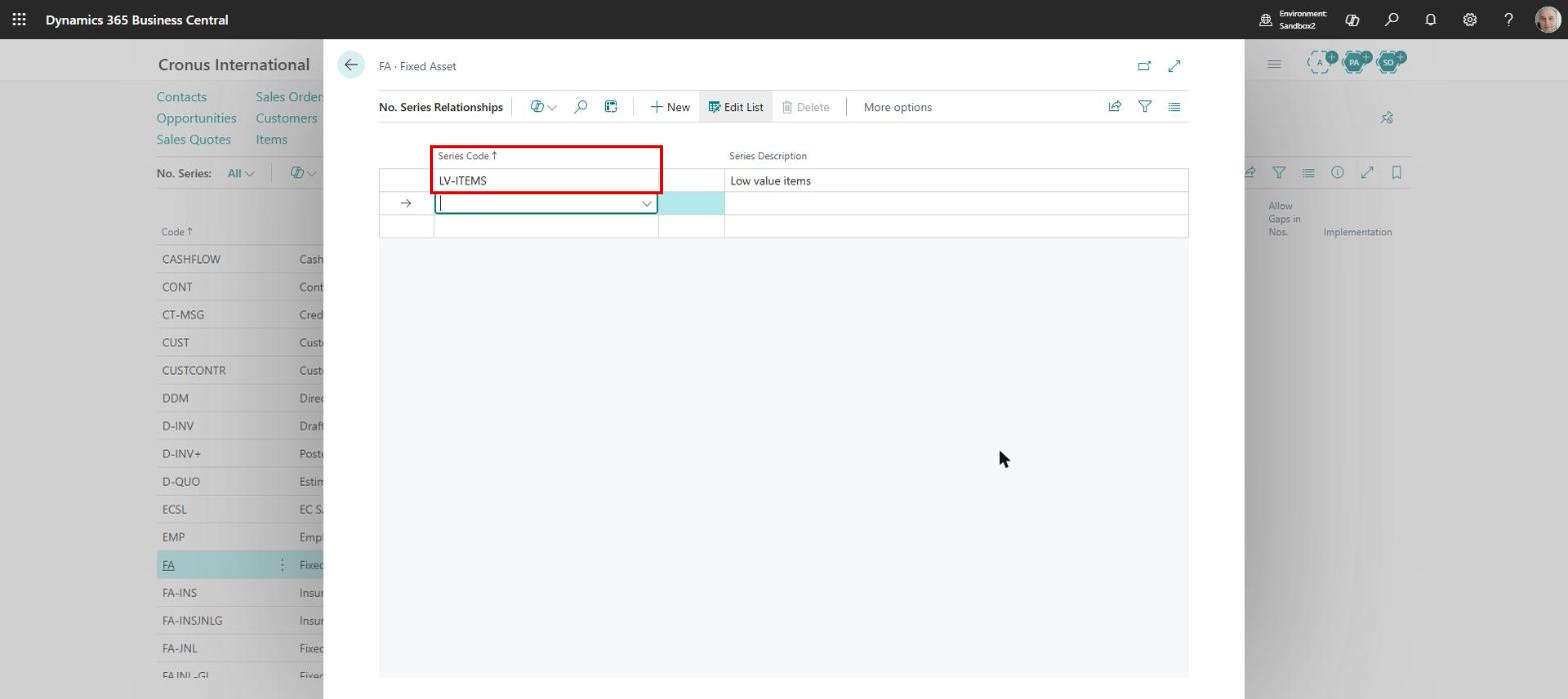
The “No. Series Relationships” page opens, and here, in the “Series Code” field, we can select the code of the series that belongs to the low-value items:
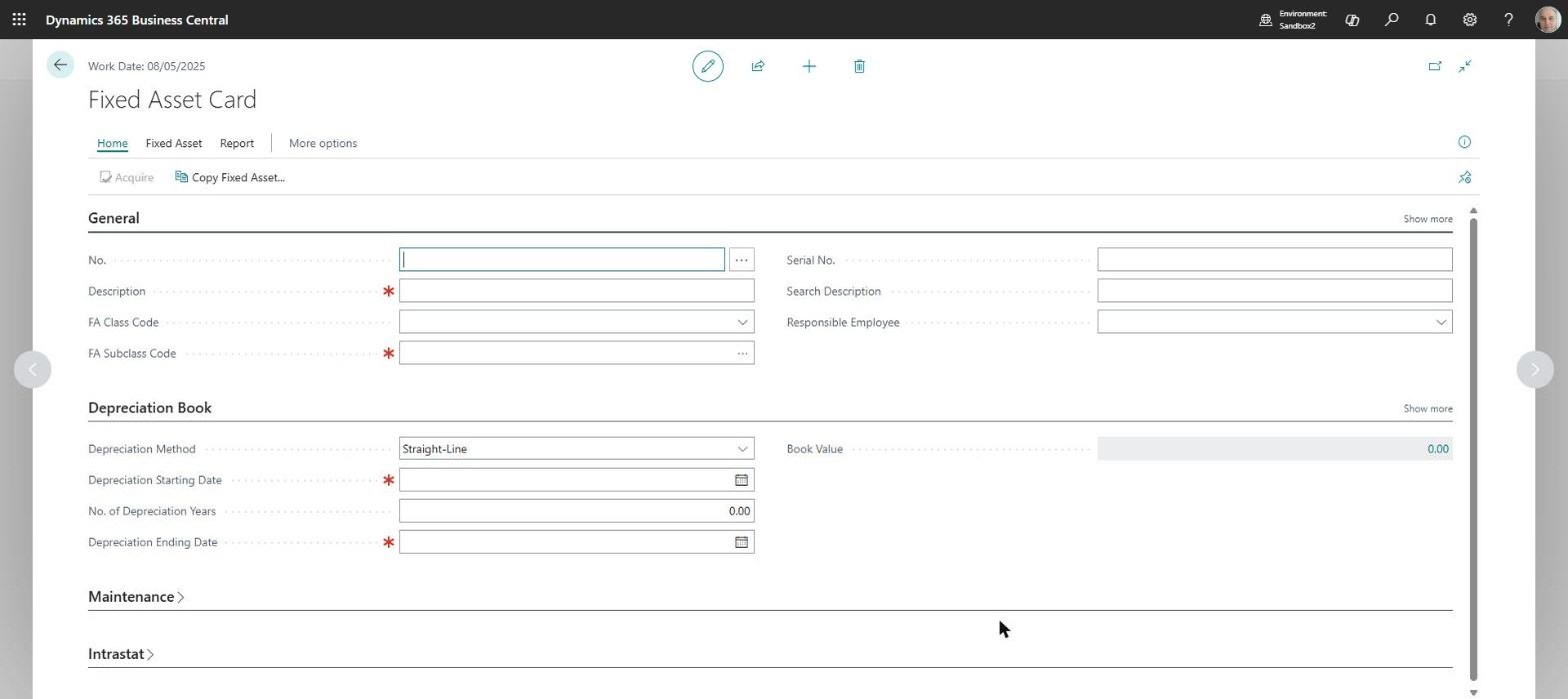
Once the relationship has been created, we can use both number series when we create fixed assets. The system will behave as follows: when we want to create a new fixed asset card, all the fields on the card are empty at first, and the first field to be filled in is “No.”:
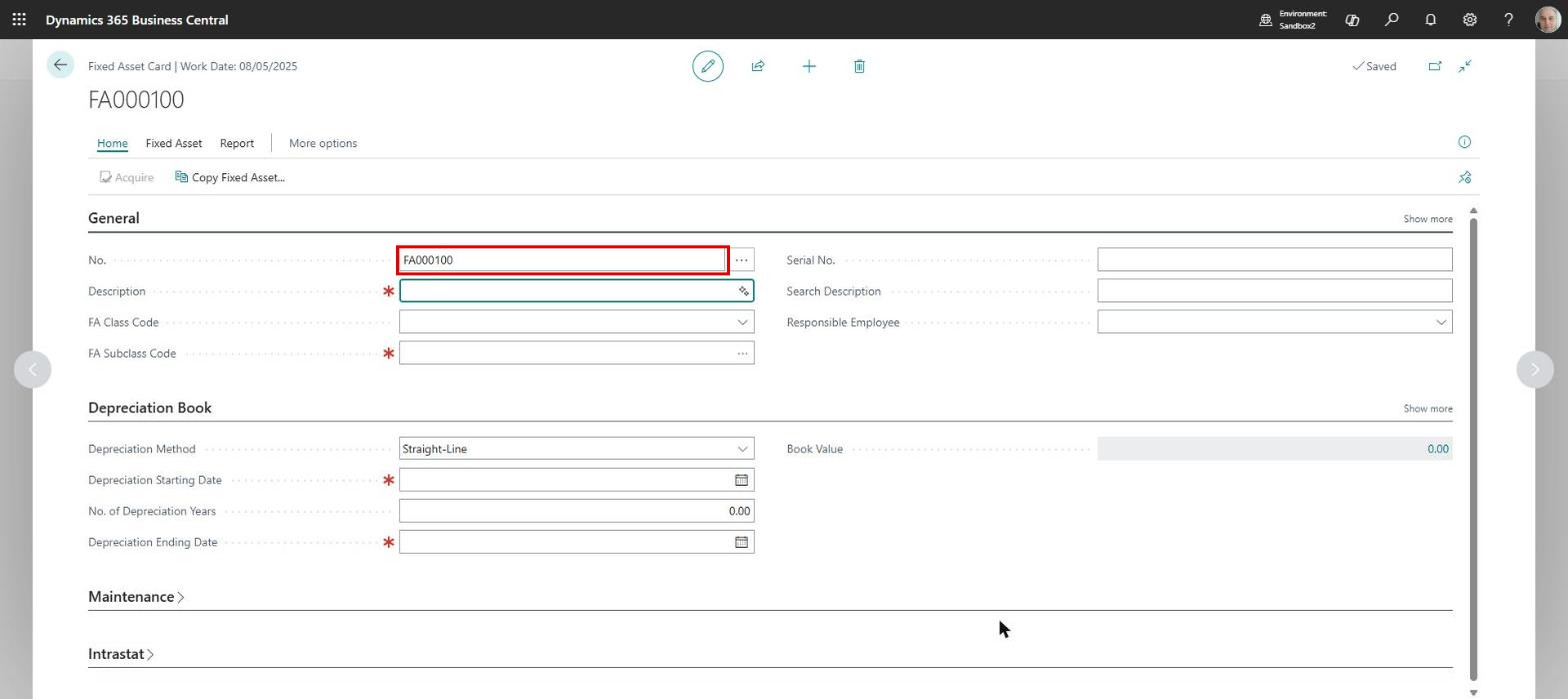
If we press “Enter”, the field is completed automatically with a fixed asset number from the default series:
To use the other number series, we click instead, on a new and still empty card, the three-dot button beside the “No.” field. A list opens from which we can select the related series:
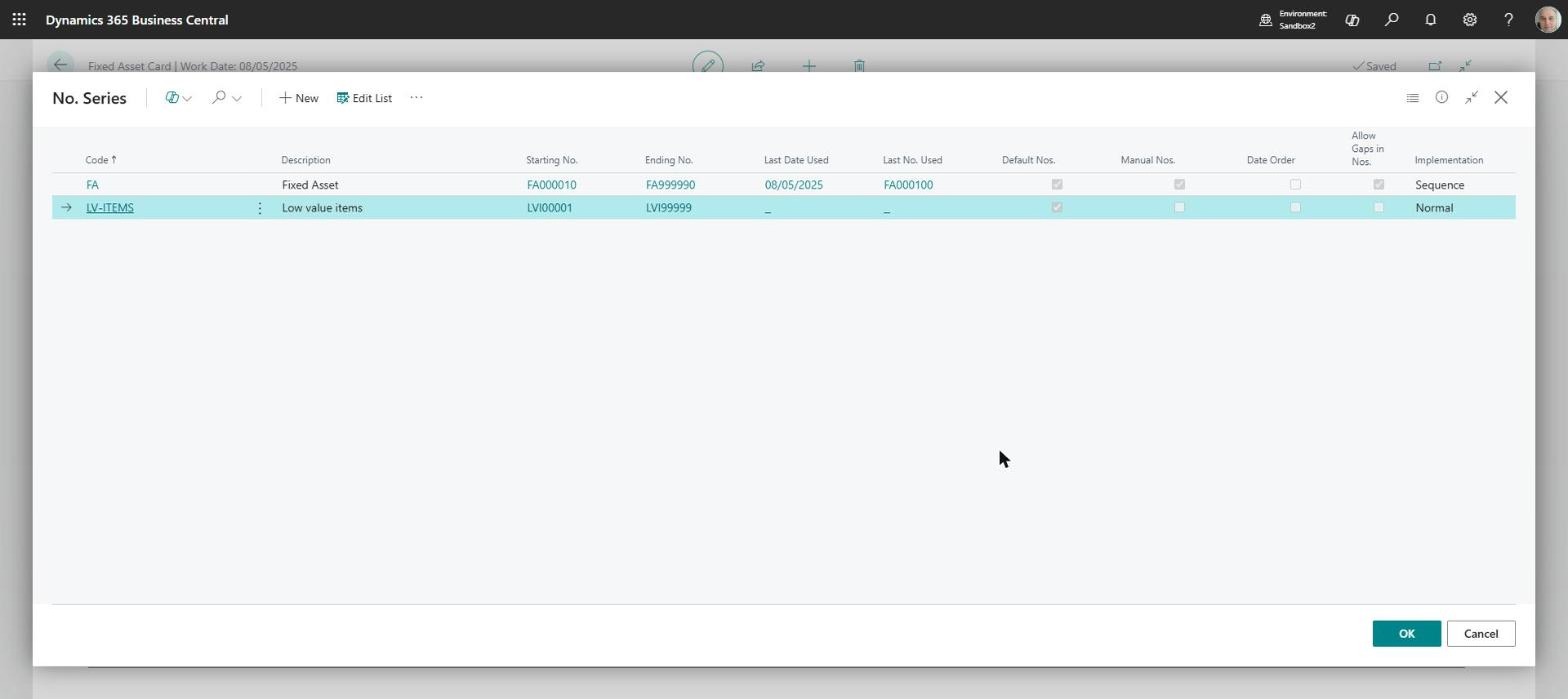
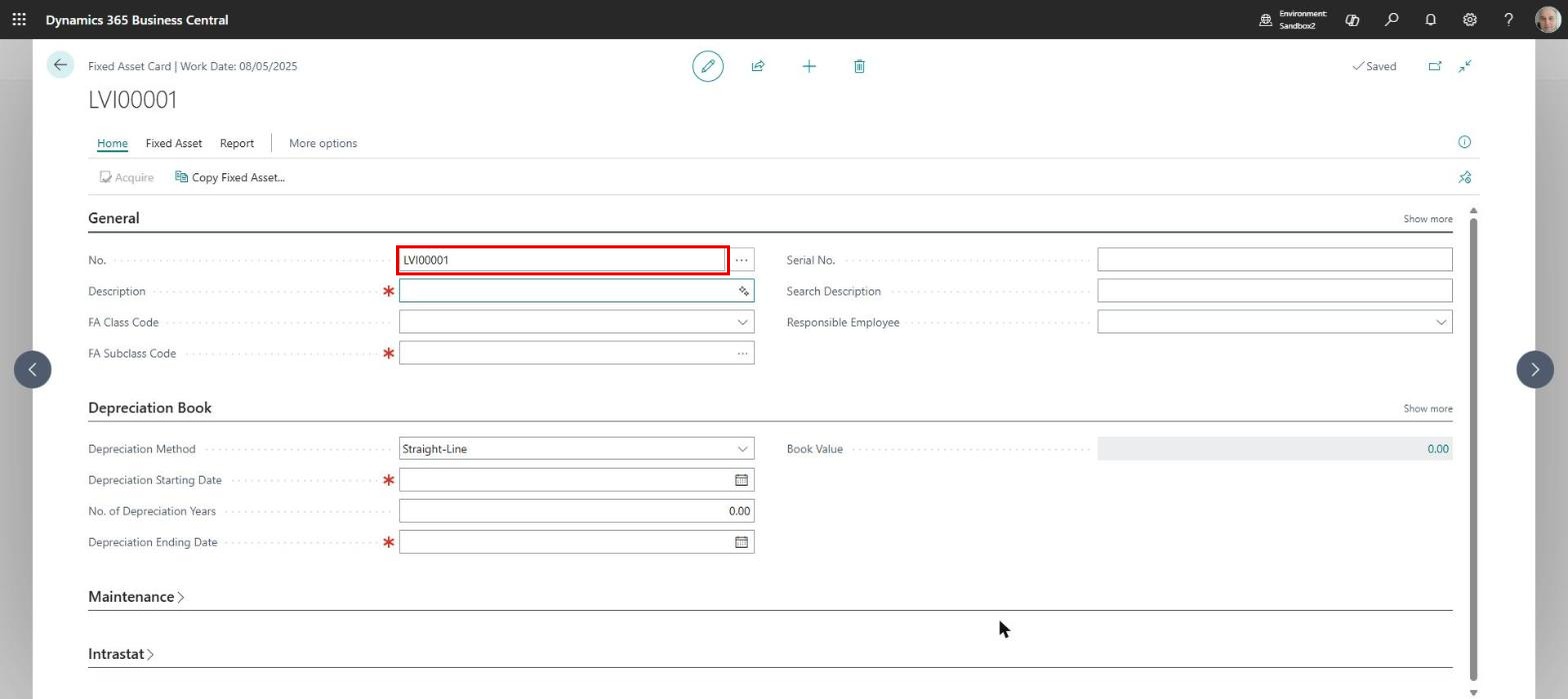
After we click the “OK” button, the fixed asset card will carry a number from the series for low-value items:
ELIAN Solutions has been active since 2008 as an implementer of Microsoft Dynamics 365 Business Central . With a team of over 80 specialists and a portfolio of more than 400 clients, ELIAN Solutions is one of the leading ERP partners.