In the Dynamics 365 Business Central ERP system, inventory transactions are usually recorded through dedicated documents – purchase, sales or transfer invoices and orders. There are, however, situations where stock is adjusted upwards or downwards as a result of internal company operations (for example the consumption of consumables) or when various stock corrections are made. In these situations, item journals can be used.
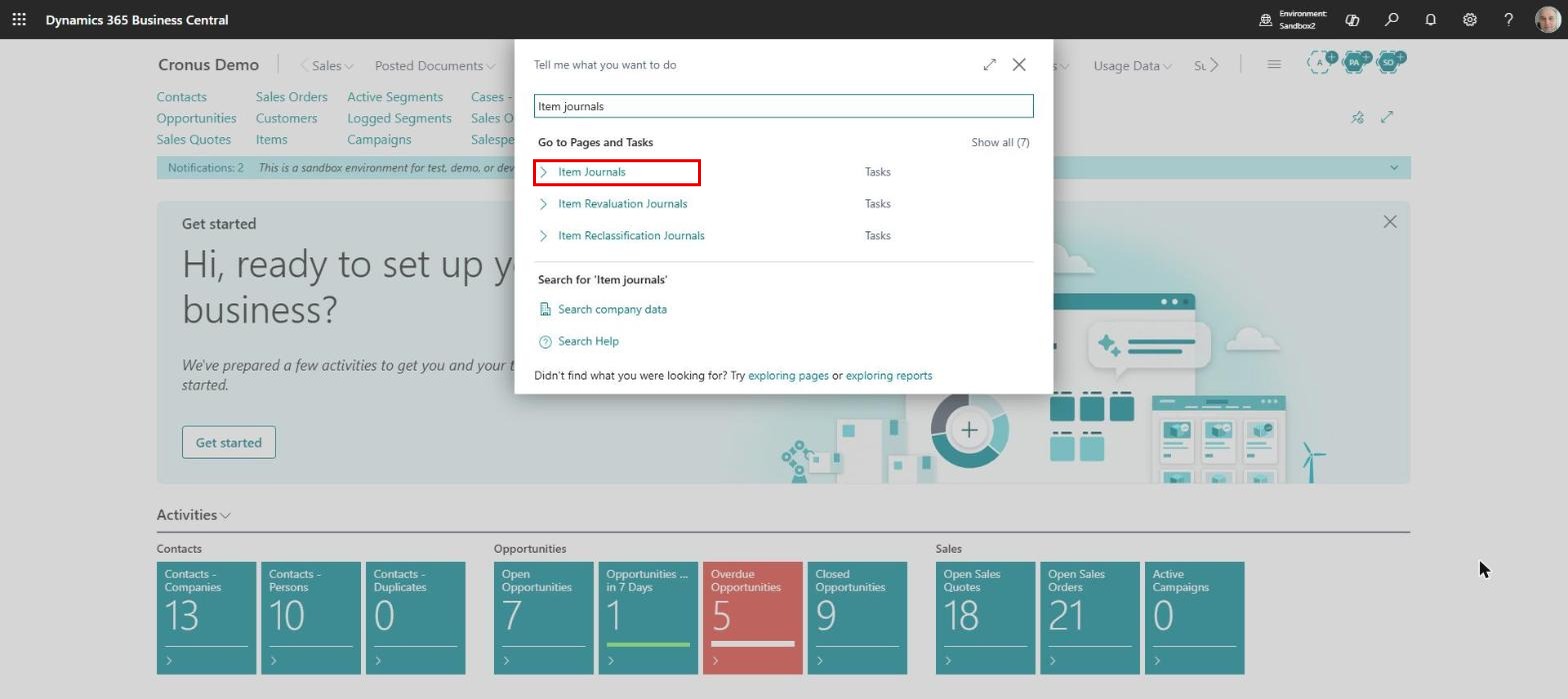
To use item journals, in Business Central we open the “Item Journals” page using the search function:
The item journals page opens and, for one entry, we will have to fill in the following fields:
Posting Date – the date on which we record the inventory transaction in the general ledger
Entry Type – an option field. For historical reasons the “Purchase” and “Sale” options also exist, but in item journals only the “Positive Adjmt.” and “Negative Adjmt.” options are used these days
Document No. – the number of the supporting document for the inventory transaction
Item No. – to be selected from the item list
Description – a description of the entry; by default it takes the description from the item card
Location Code – the location where the transaction will take place
Gen. Prod. Posting Group – comes by default from the item card and determines the expense account that will be used when posting to the general ledger
Quantity – the item quantity is entered here
Unit of Measure Code – filled in by default with the unit of measure from the card, but it can be changed
Unit Amount, Amount, Unit Cost – these fields are filled in automatically by the system; in the case of negative adjustments they never need to be changed, and for positive adjustments we will go into more detail in this article
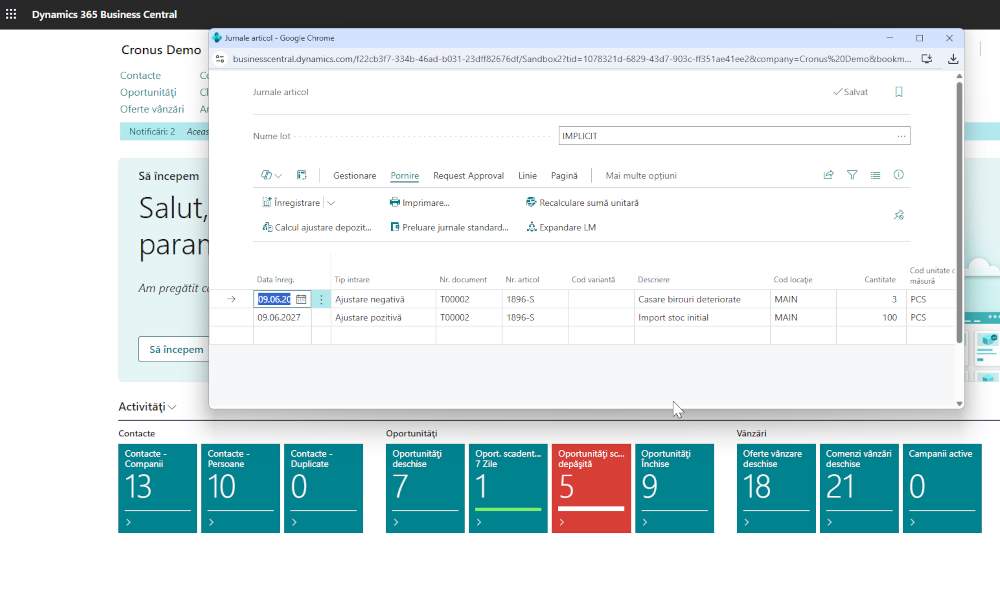
In the end, an item journal line could look like the image below, and the information entered is enough for the posting to be carried out:
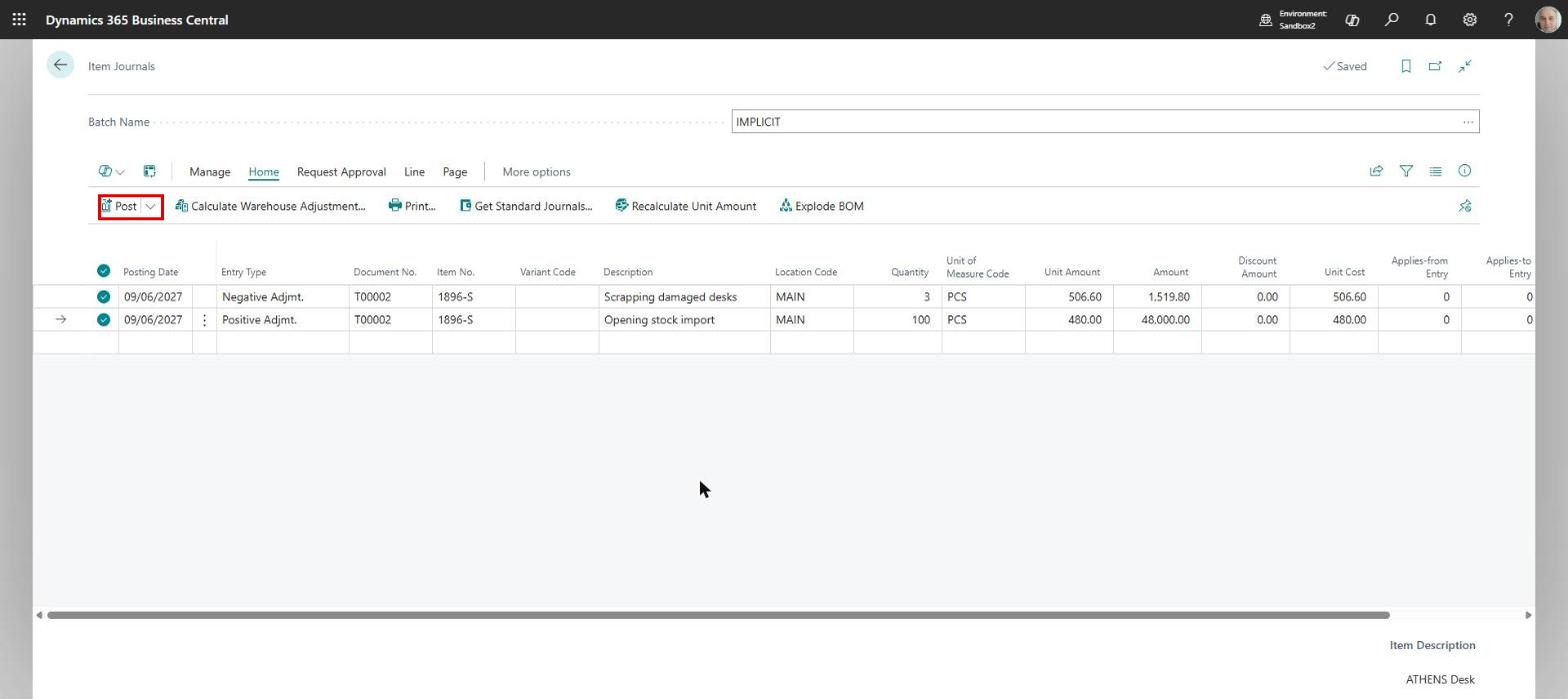
As we mentioned, when posting a negative inventory adjustment the system will automatically calculate the cost, regardless of the values we enter on the journal line, according to the costing method set on the item card.
When we make positive adjustments, in principle the value of the item cannot be calculated by the system. A typical case is when we initialise stock in Business Central by taking over the quantities and values from the old system. In this case the user enters the unit amount on the item journal line, and the “Amount” and “Unit Cost” fields are filled in automatically:
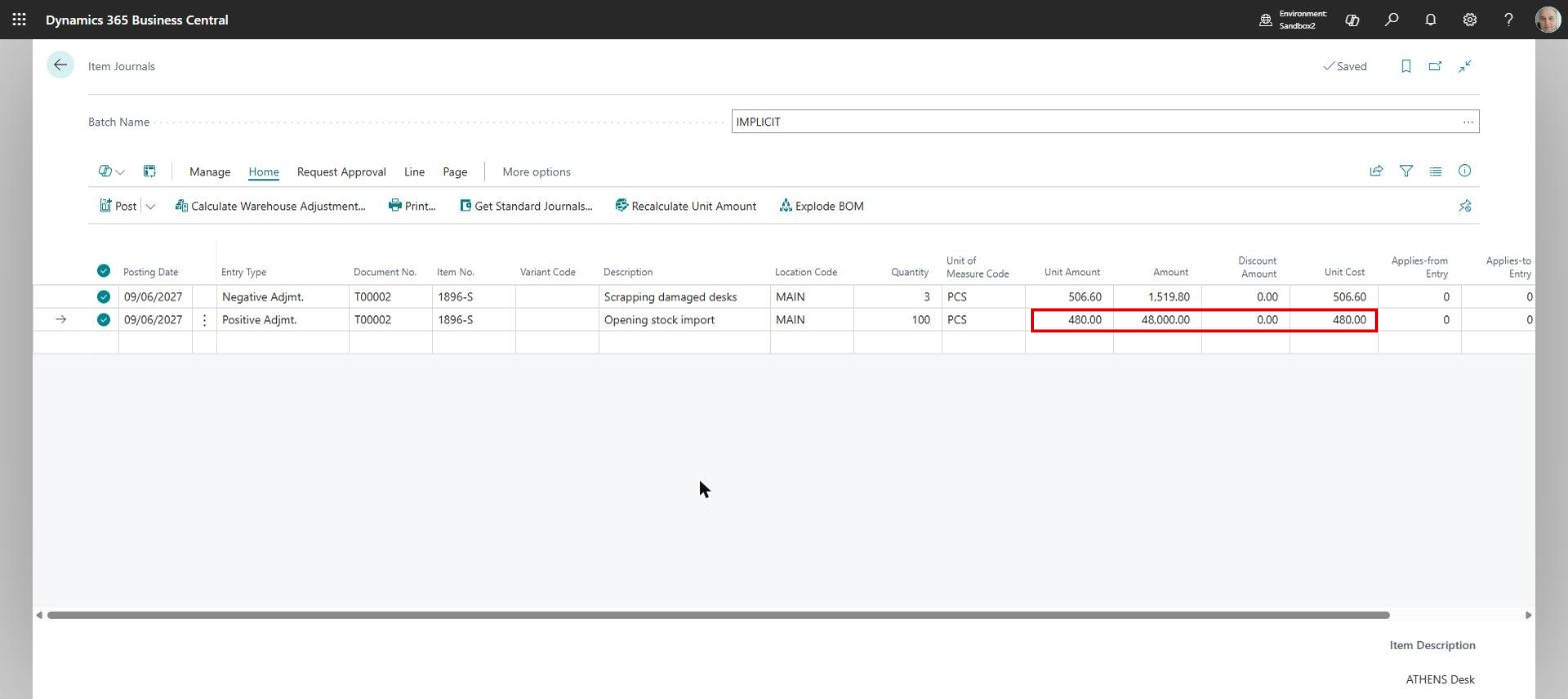
The value of an item issue or receipt on the item journal line can also be determined through the application mechanism, which assumes that the exact link between a particular item receipt and issue is known and that, as a result, the unit cost of the two will coincide.
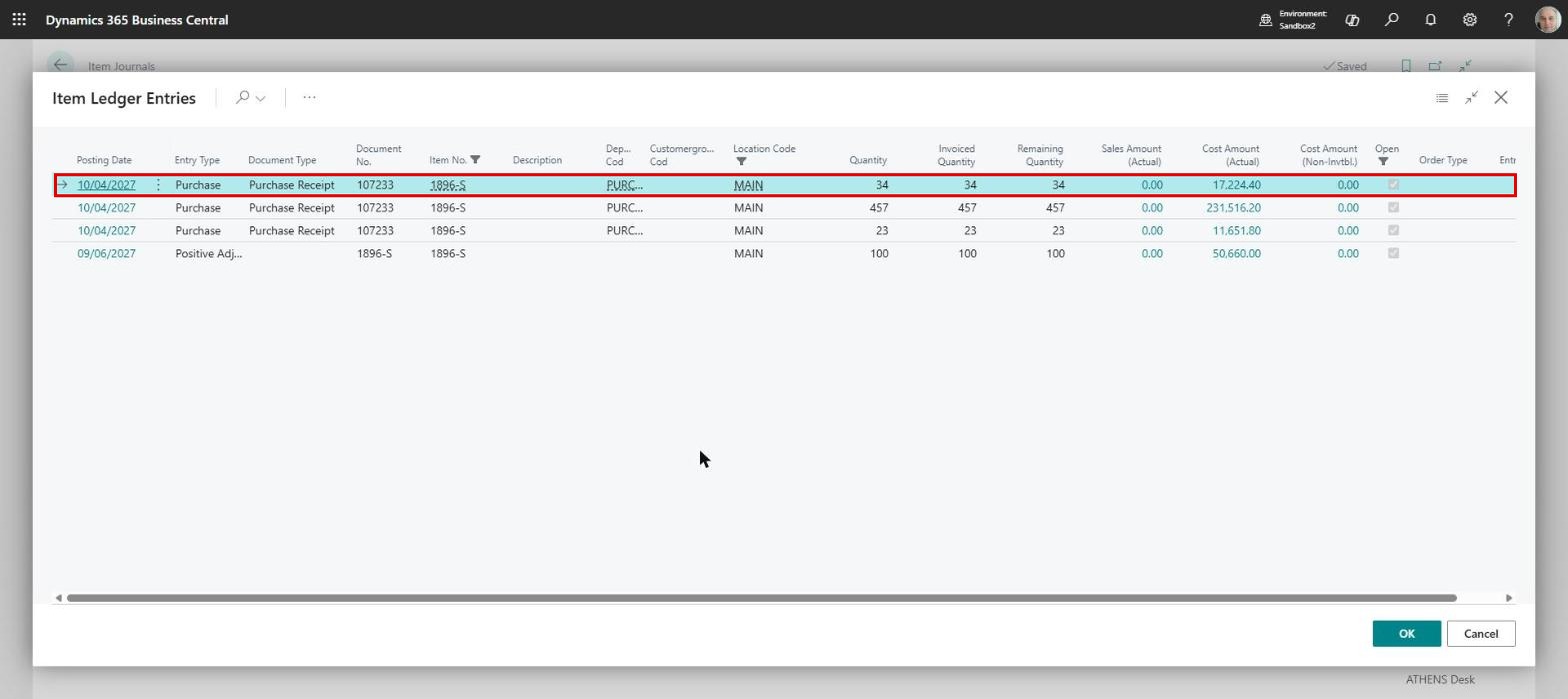
In the case of a negative adjustment, the application mechanism specifies that the cost of the negative item adjustment will be exactly the cost of a particular item receipt, regardless of the costing method set on the card. For this we will use the “Applies-to Entry” field. If we click on this field, the list of item ledger entries opens, and from there we will select the item line we want to associate with the negative adjustment and whose cost will be transferred to the item issue:
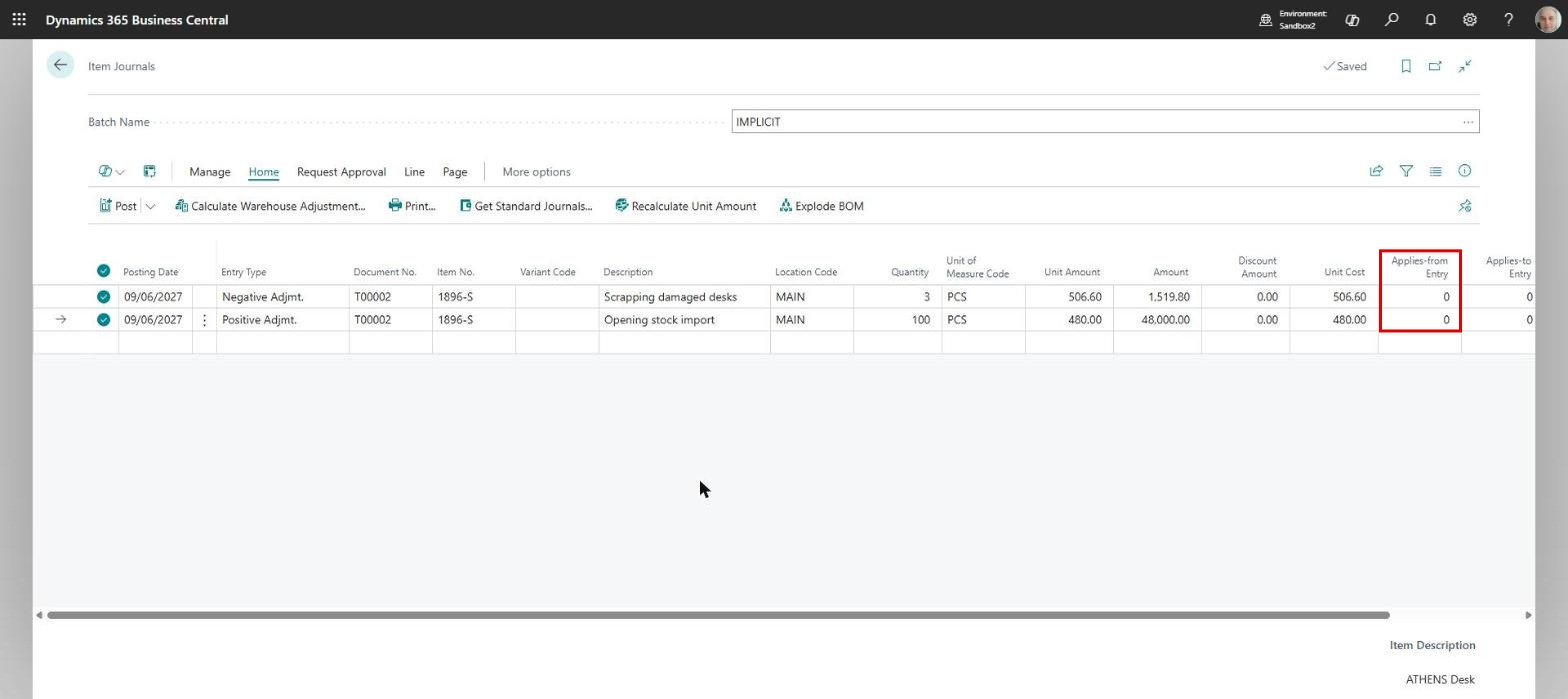
Similarly, for positive adjustments there is the “Applies-from Entry” field, through which we can associate an item receipt with an earlier issue. One reason we would want to do this is when we want to correct an item consumption and we know exactly which consumption needs to be corrected. In this case it is normal for the receipt value of the item to be the value of the erroneous consumption:
ELIAN Solutions has been active since 2008 as an implementer of Microsoft Dynamics 365 Business Central . With a team of over 80 specialists and a portfolio of more than 400 clients, ELIAN Solutions is one of the leading ERP partners.