Companies that manage inventory need their ERP system to be flexible about how transactions are recorded, so that it covers the widest possible range of working scenarios. A common situation in sales is when, over the course of a month, a company makes several deliveries to the same customer (a hypermarket, for example), and the final invoice comes at the end of the month covering every delivery made during it.
Dynamics 365 Business Central handles scenarios of this kind, allowing full or partial shipments to be posted from sales orders while their invoicing is done cumulatively, in a single invoice.
In this article we will show how invoicing from multiple shipments works in Business Central, using an example.
Let us assume we have a sales order like the one below:
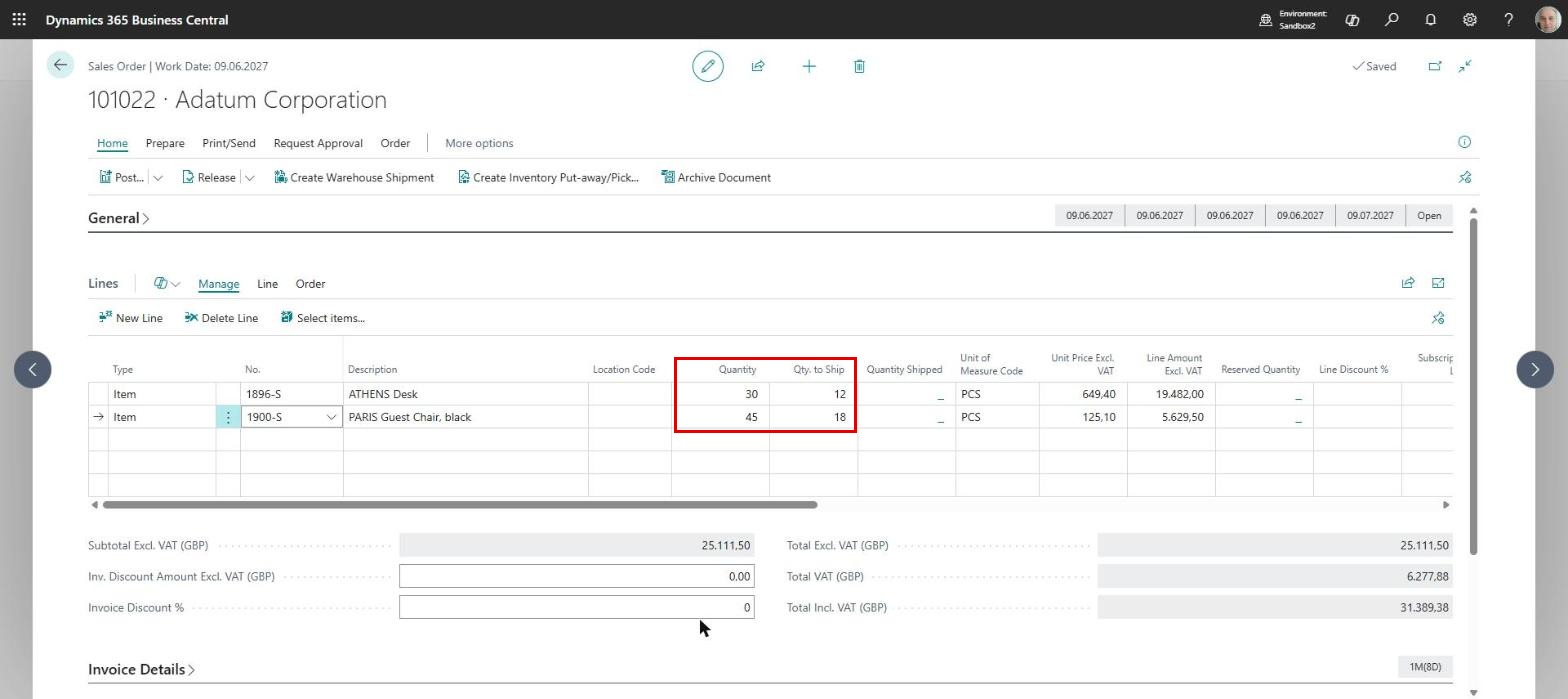
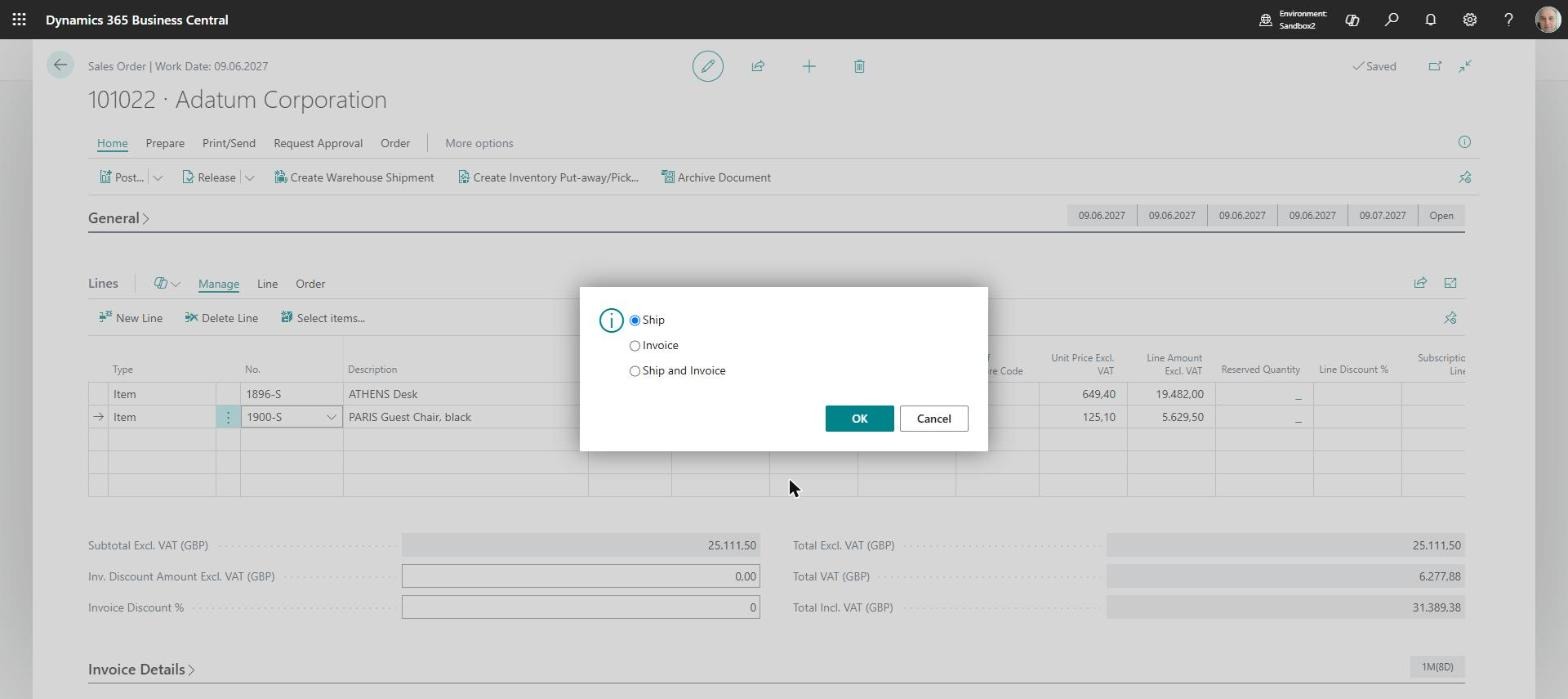
The order has two item lines, and the “Quantity” field holds the quantity ordered. If we want to make a partial shipment, we use the “Qty. to Ship” field, which is filled in by default with the value from “Quantity” but can be edited by the user to enter the quantity actually being shipped. In our case we will post a partial shipment, choosing “Post” and then the “Ship” option:
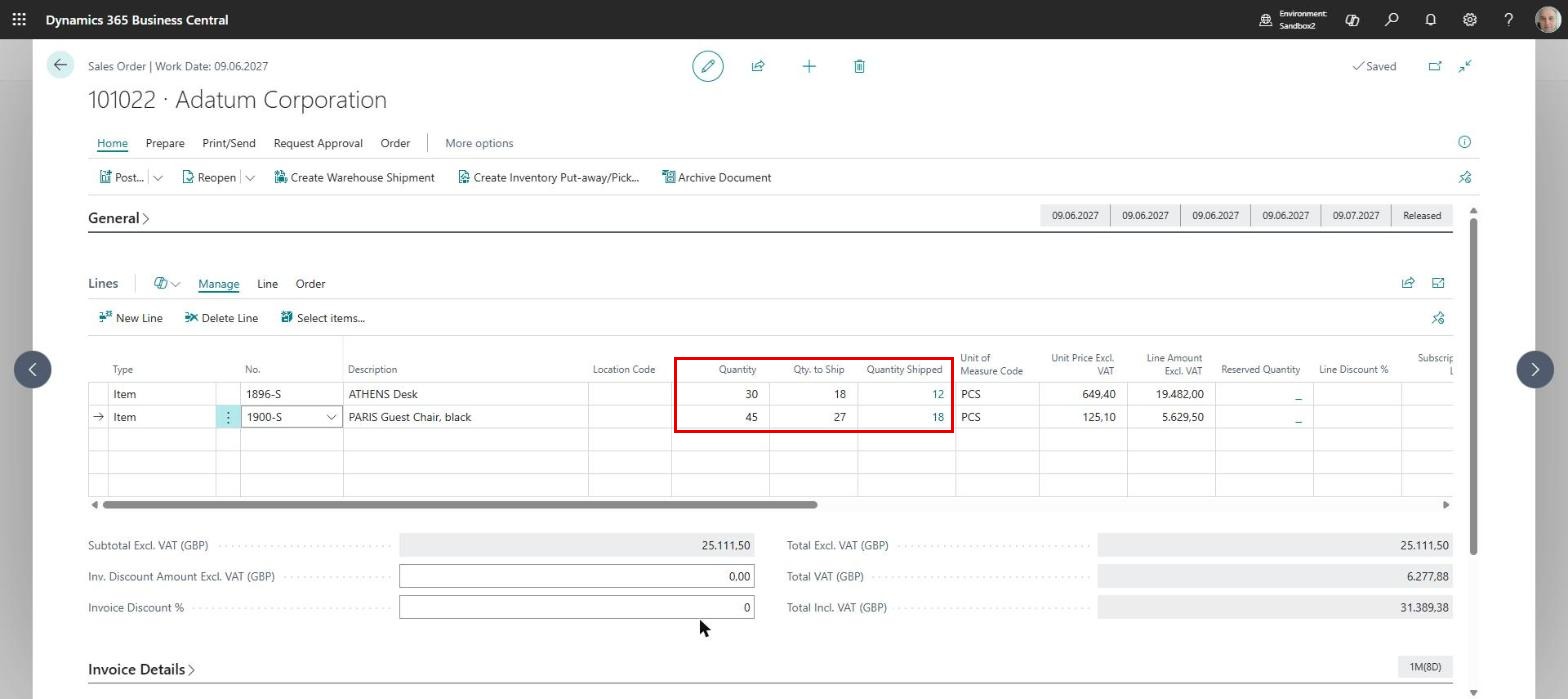
After the shipment is posted, the order lines reflect the partial shipment, showing how much has been shipped and how much is still outstanding:
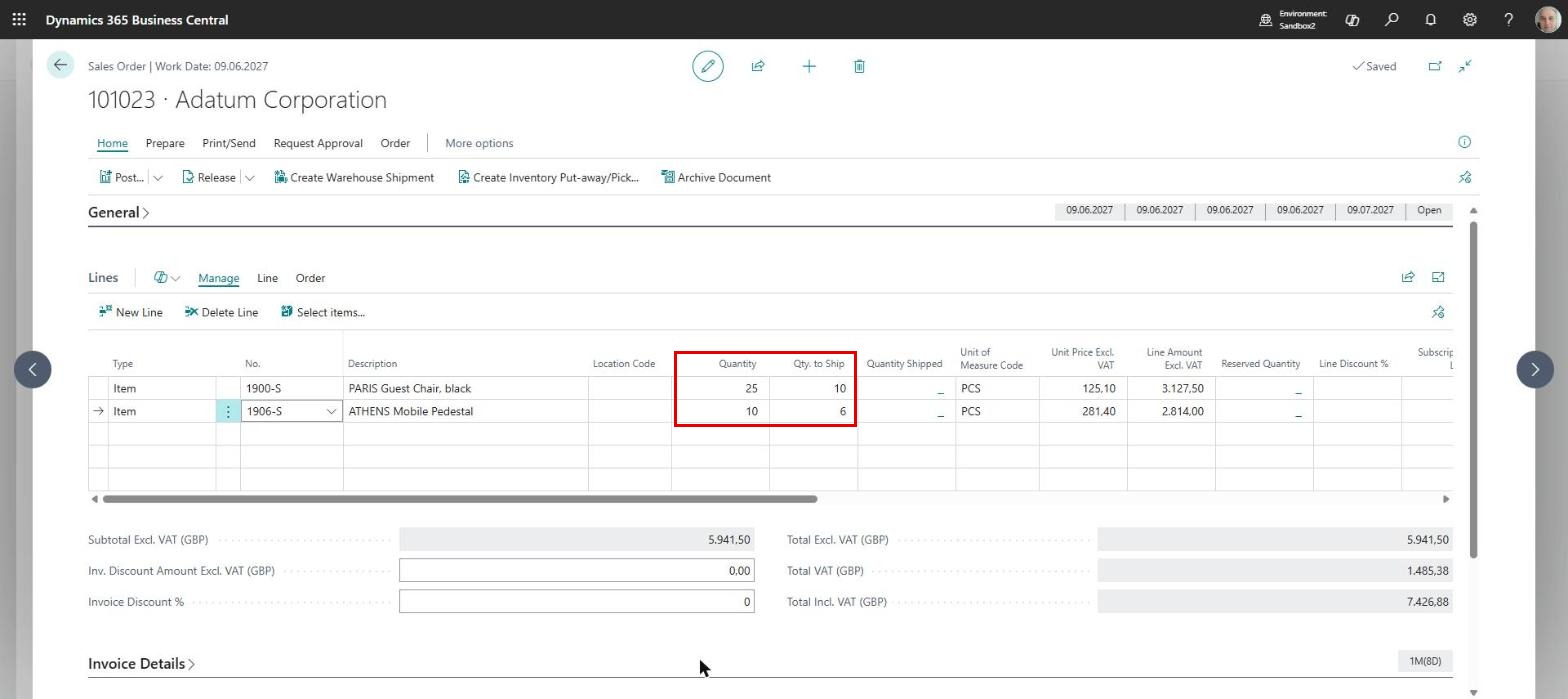
Similarly, we have a second sales order, again with two items, from which we also make a partial shipment:
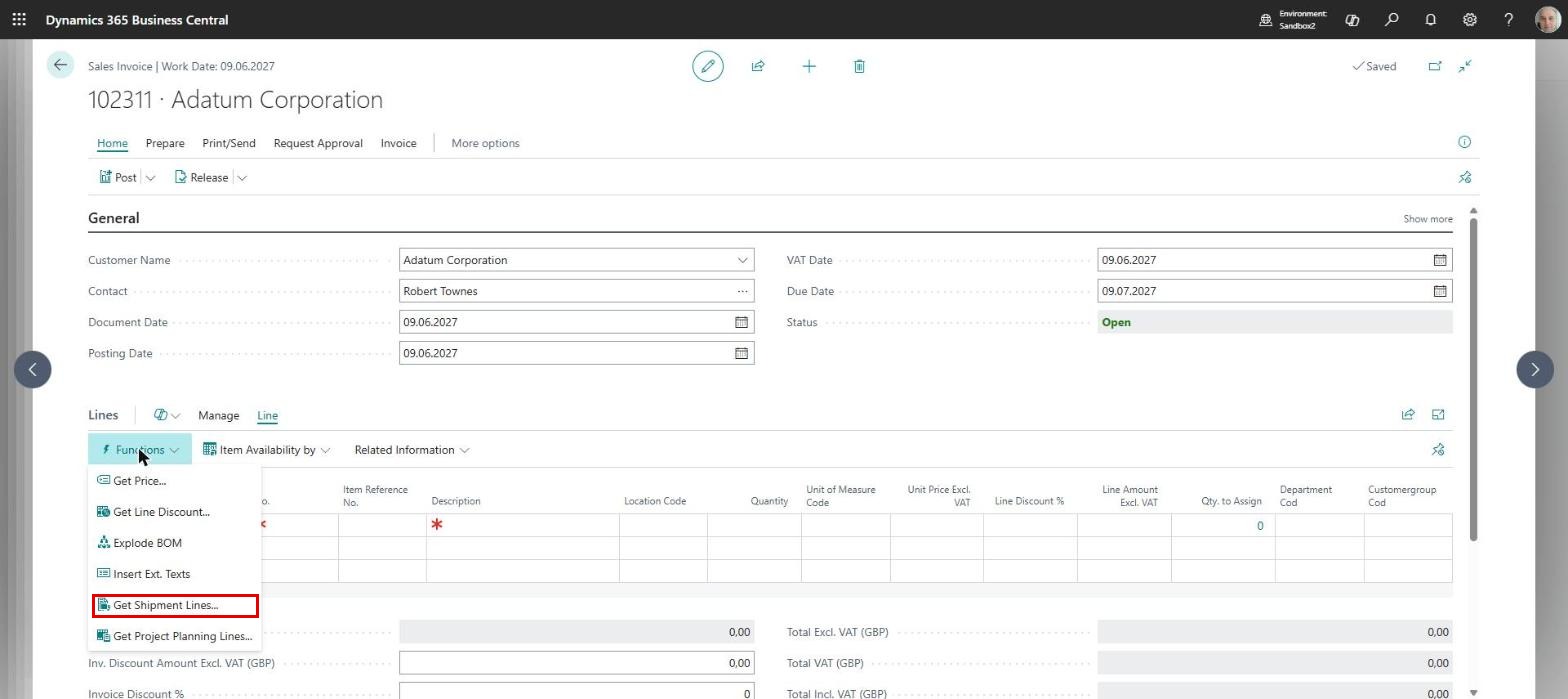
Let us assume that at the end of the month we want to issue one invoice covering the value of the shipments from both orders. In that case we create a new sales invoice for that customer, and then call Line->Functions->Get Shipment Lines:
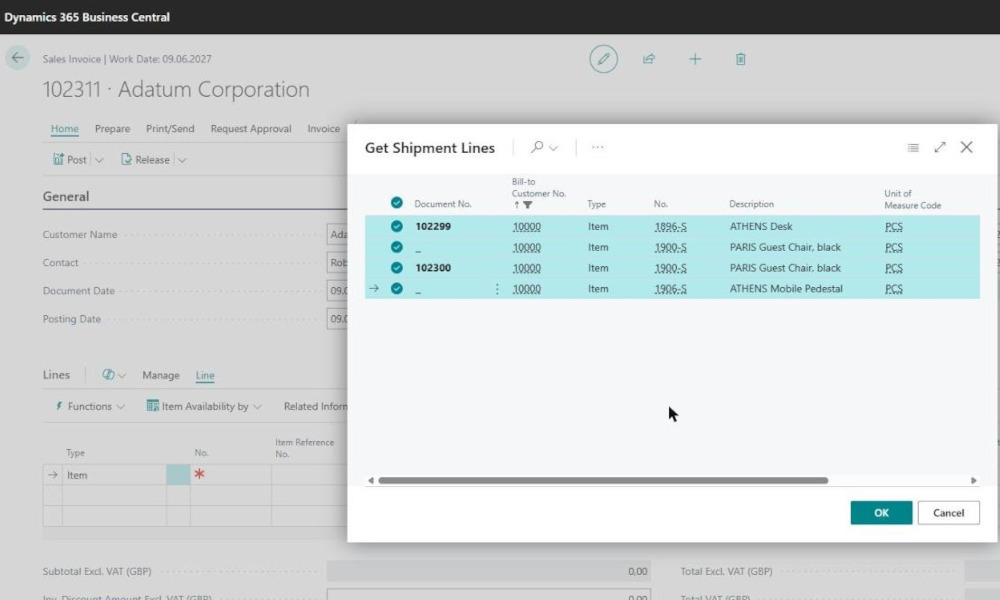
A page opens listing all the shipments made to the customer, and here we select the 4 shipment lines belonging to the partial shipments from the two orders:
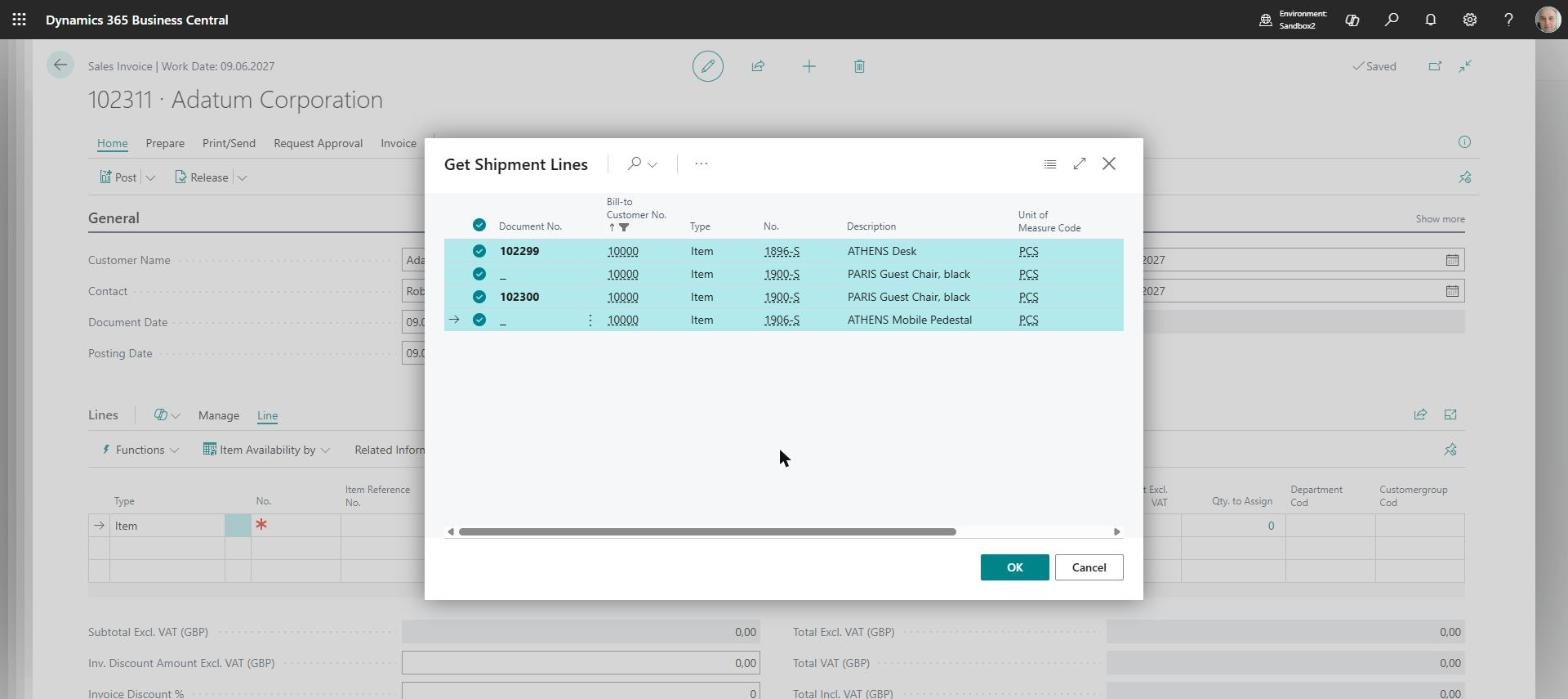
Once the lines are selected we click the “OK” button, and they appear in the sales invoice, grouped by shipment:
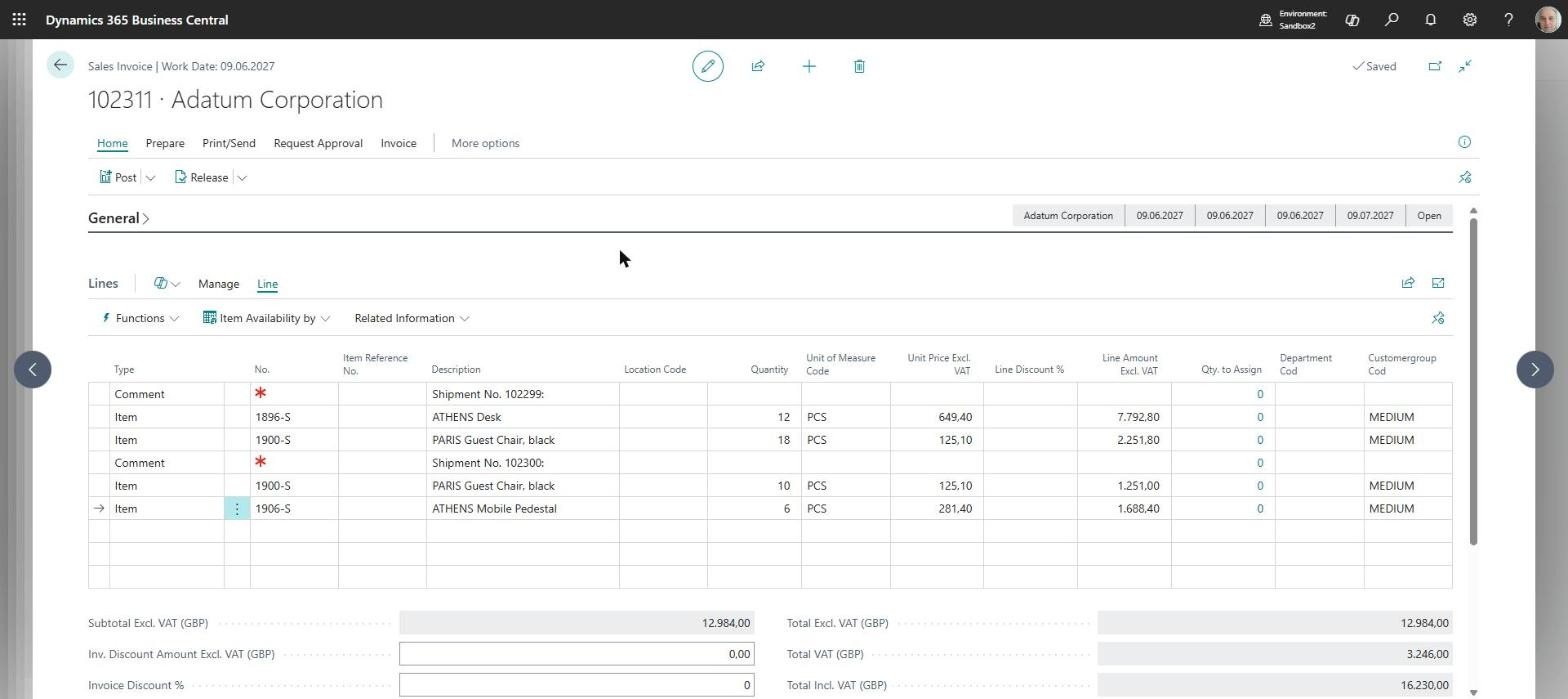
Shipments are brought into the invoice line by line, so if only one line or certain lines from a shipment need to be invoiced, that is possible too. Once the lines are in the invoice, the only thing left to do is to post it.
ELIAN Solutions has been active since 2008 as an implementer of Microsoft Dynamics 365 Business Central . With a team of over 80 specialists and a portfolio of more than 400 clients, ELIAN Solutions is one of the leading ERP partners.